SensorPush HT1 Hygrometer Review: Is It Worth It?
The SensorPush HT1 is a compact Bluetooth temperature and humidity sensor for homeowners who want more than a quick reading from a basic room hygrometer. It sends temperature and relative humidity data to the SensorPush app, where you can check current conditions, review history, and watch for humidity patterns over time.
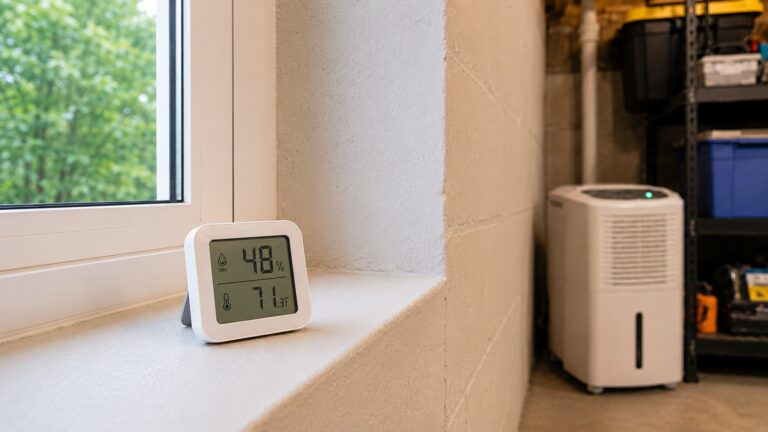
That makes it useful in places where moisture conditions can quietly change, such as basements, attics, storage rooms, RVs, refrigerators, freezers, wine storage, and instrument cases. If you want to know whether a room stays damp overnight, whether a dehumidifier is keeping humidity stable, or whether humidity returns after repairs, the HT1 gives you better trend visibility than a display-only hygrometer.
Disclosure: This article may contain affiliate links. If you buy through these links, we may earn a commission at no extra cost to you.
SensorPush HT1 Quick Verdict
- Best for: Homeowners who want app-based humidity and temperature trend monitoring in basements, attics, storage areas, RVs, refrigerators, or other humidity-sensitive spaces.
- Not ideal for: Buyers who only need a cheap display hygrometer, built-in WiFi without a separate gateway, or a tool that detects moisture inside building materials.
- Main strength: Compact app-based monitoring with one-minute sampling, onboard data storage, alerts, and long-term humidity history.
- Main limitation: The HT1 is Bluetooth-based unless you add the separate SensorPush WiFi Gateway for remote monitoring.
- Bottom line: The SensorPush HT1 is a strong premium smart hygrometer for tracking humidity trends, but it is not a leak detector, moisture meter, dehumidifier, or mold-removal solution.
What the SensorPush HT1 Does
The SensorPush HT1 is a wireless smart hygrometer and thermometer that measures temperature and relative humidity, then sends that information to the SensorPush app through Bluetooth. Instead of checking a display-only hygrometer, you can use the app to review current conditions and see how the space has behaved over time.
The sensor is small: about 1.57 inches by 1.57 inches by 0.65 inches. It uses a replaceable CR2477 battery, samples conditions every minute, stores up to 20 days of onboard data, and keeps unlimited history in the app. It works with iOS and Android devices that support Bluetooth Low Energy.
That combination makes the HT1 more useful than a simple room display when you are learning how to test indoor humidity levels. A single reading shows the current humidity, but stored history shows whether the space is staying stable over time.
The HT1 is small enough to place in cabinets, storage spaces, refrigerator compartments, RV interiors, instrument cases, protected crawl space locations, basements, and attics. It is not a waterproof sensor, so it should be kept away from dripping, splashing, standing water, and direct contact with wet surfaces.
One important buying detail is that the HT1 itself is Bluetooth-based. If you want remote monitoring when you are away from home, you need the separate SensorPush G1 WiFi Gateway. Without the gateway, the app syncs when your phone is within Bluetooth range.
View the SensorPush HT1 on Amazon
SensorPush HT1 Features That Matter Most
App-Based Temperature and Humidity Monitoring
The biggest difference between the SensorPush HT1 and a basic hygrometer is that the app shows more than the current reading. You can check conditions from your phone, review history, and see whether humidity is changing in a pattern.
That matters in spaces such as basements, storage rooms, refrigerators, and freezers, where conditions can look normal during one check but change later. If you only need an occasional room reading, the app may be unnecessary. If you want trend visibility, it is the main reason to consider the HT1.
Humidity History and Trend Tracking
The HT1 is most useful when you care about history. A room that reads 50% relative humidity in the afternoon may have spent hours at a higher level overnight. Without stored data, you may never see that pattern.
That is especially useful when you are checking whether humidity spikes are brief, recurring, or persistent enough to require a change in ventilation, dehumidifier runtime, or leak inspection.
This is where the HT1 can help homeowners monitor moisture levels throughout your home more intelligently. Trend data can show whether a dehumidifier is keeping a basement stable, whether attic humidity is swinging with weather changes, or whether a repaired area is staying dry over time.
That information helps you decide when to adjust ventilation, run a dehumidifier longer, move stored items, check for a moisture source, or inspect a space more closely.
Compact Placement for Sensitive Spaces
The HT1’s small body makes it practical for areas where a larger monitor would be awkward, including cabinets, storage shelves, humidors, instrument cases, RVs, refrigerators, freezers, closets, and protected crawl space locations.
That placement flexibility matters because humidity can vary from one part of a home to another. A basement shelf, attic storage area, utility room, or closet along an exterior wall may behave differently than the main living area. Keep the sensor away from dripping, splashing, standing water, wet surfaces, and condensing surfaces because it is not a waterproof leak sensor.
Accuracy, Range, and Battery
SensorPush lists the HT1 with typical humidity accuracy of ±3% RH from 20% to 80% relative humidity at 77°F, and typical temperature accuracy of ±0.5°F from 32°F to 140°F. That gives it stronger monitoring credibility than many cheap room hygrometers, although it should still be treated as a home sensor rather than a professional remediation instrument.
The listed Bluetooth range is up to 325 feet line of sight under ideal conditions, but real homes reduce that range with walls, floors, appliances, concrete, and stored items. The replaceable CR2477 battery is listed for typical battery life over one year, with shorter life possible in extreme cold or difficult conditions.
Optional Remote Monitoring With the SensorPush Gateway
The HT1 can work with the separate SensorPush G1 WiFi Gateway for remote access. This distinction matters because the sensor itself is Bluetooth-based, not a standalone WiFi hygrometer.
Bluetooth may be enough if you only check readings while you are home. If you want alerts while traveling, monitoring for a vacation property, or remote visibility into a crawl space, basement, refrigerator, freezer, or storage area, the gateway becomes the more important part of the system.
How the SensorPush HT1 Performs in Real Home Monitoring
In real home use, the SensorPush HT1 is best judged by whether it gives you clearer visibility into humidity behavior. It does not dry the air, repair leaks, or diagnose wet building materials. It shows temperature and humidity conditions in the place where you put it.
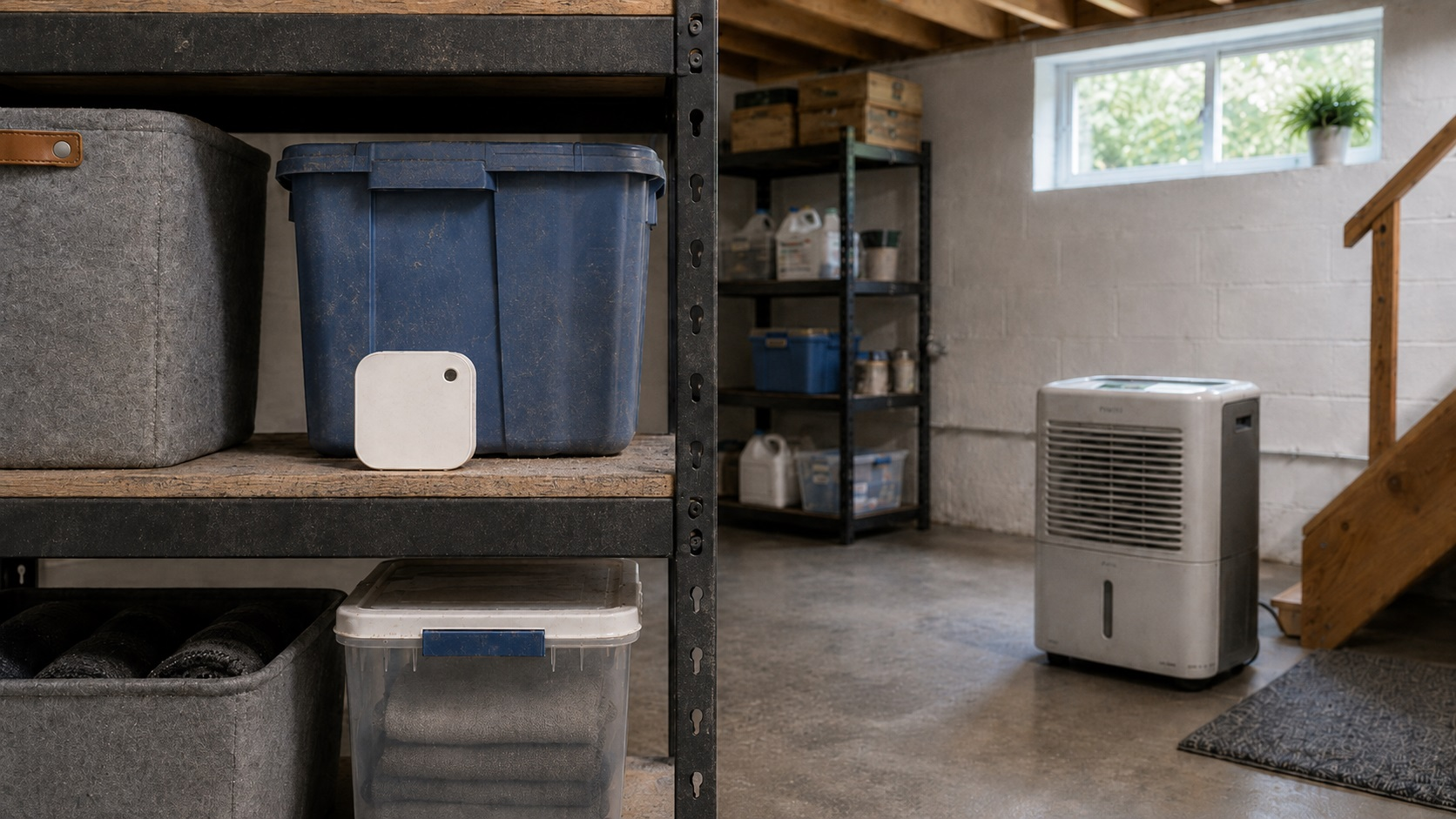
In a basement, that can help you see whether humidity rises after storms or remains stable after running a dehumidifier. In an attic, it can show seasonal temperature and humidity swings that may not be obvious from the living space. In a protected crawl space location, refrigerator, freezer, RV, or storage room, it can show whether conditions remain stable without constant manual checks.
The HT1 is also useful after moisture repairs. If you had a leak fixed, dried an area, or changed ventilation or dehumidifier settings, the sensor can help you see whether conditions stay stable afterward instead of waiting for musty odors, condensation, swelling, or mold-like spotting to appear.
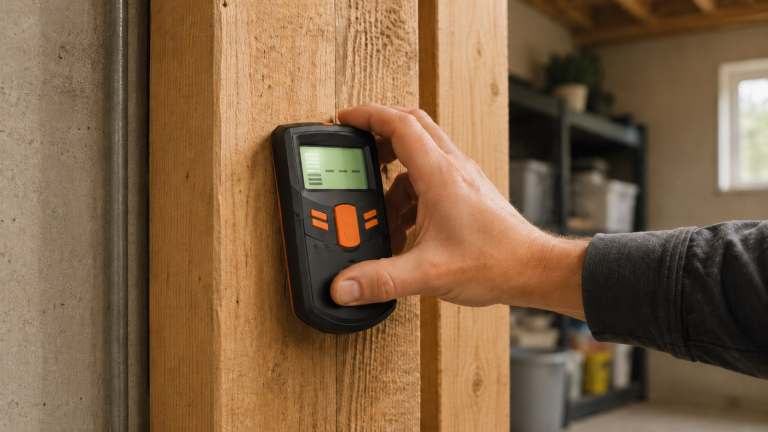
The readings still need interpretation. High humidity does not automatically reveal the moisture source, and low humidity does not prove hidden materials are dry. If you suspect water inside drywall, flooring, framing, or insulation, you need the right inspection method or moisture meter for that job.
Best Places to Use the SensorPush HT1
The SensorPush HT1 works best where humidity trends matter more than one quick reading: basements, attics, protected crawl space locations, storage spaces, RVs, refrigerators, freezers, humidors, wine storage, instrument cases, and rooms where a dehumidifier is being used.
It is especially useful when you want to verify that a moisture-control change is working. If you improve ventilation, add a dehumidifier, seal an air leak, move stored items, or adjust a room setup, the sensor can show whether humidity becomes more stable over time.
SensorPush HT1 Limitations to Know Before Buying
The SensorPush HT1 falls short if you expect it to solve the moisture problem for you. It does not lower humidity, control a dehumidifier by itself, test drywall moisture, detect hidden leaks, or remove mold. If the readings show persistent high humidity, use that information to stabilize indoor humidity levels with the right moisture-control strategy.
It may also be more than some homeowners need. If you only want to check the humidity in one bedroom once a day, a simple digital hygrometer may be enough. The HT1 makes more sense when app history, alerts, compact placement, and trend tracking are worth the extra cost.
The other limitation is remote monitoring. Without the separate gateway, the HT1 is limited to Bluetooth syncing when your phone is in range. If your main goal is to get alerts while away from home, plan on the gateway or choose a monitor with built-in WiFi.
Who Should Buy the SensorPush HT1?
Buy the SensorPush HT1 if you want humidity history, not just a current room reading. It is a good fit for homeowners who want to confirm whether a problem area stays stable over time.
It also makes sense if you already use a dehumidifier and want to know whether the room is actually stabilizing. Instead of running the unit by feel, you can check whether humidity is improving or whether the setup needs better placement, a different setting, longer run time, or additional moisture-control work.
The HT1 is also worth considering if you plan to monitor several spaces over time. One sensor can be useful on its own, but the system becomes more valuable when you add more sensors or the separate WiFi Gateway. For alternatives, see our guide to the best smart hygrometers for home monitoring.
Check current SensorPush HT1 availability on Amazon
Who Should Skip the SensorPush HT1?
Skip the SensorPush HT1 if you only need a simple humidity display for one room. A basic digital hygrometer is cheaper and easier when all you want is a quick number on a screen.
You may also want a different product if you need built-in WiFi from the sensor itself. The HT1 uses Bluetooth unless you add the separate SensorPush WiFi Gateway, so remote monitoring requires another device.
Do not treat the HT1 as a leak detector or moisture meter. It does not tell you whether drywall, flooring, insulation, framing, or subfloor materials are wet inside. If you suspect hidden water damage, the HT1 can tell you whether the air is humid, but it cannot confirm what is happening inside building materials.
How the SensorPush HT1 Compares to Typical Alternatives
Compared with a basic display hygrometer, the SensorPush HT1 is better for tracking patterns. A simple hygrometer can show the current humidity, but it usually does not give you app history, trend visibility, or alert options.
Compared with built-in WiFi humidity monitors, the HT1 depends more on the SensorPush system. The sensor itself is Bluetooth-based, so buyers who want remote monitoring should factor in the separate gateway.
Compared with multi-room systems, one HT1 only monitors one location. If humidity varies between your basement, attic, crawl space, bathroom, and main living area, multiple sensors may give you a clearer picture. For broader testing guidance, see our guide on how to test indoor humidity levels.
Compared with moisture meters, the HT1 measures air conditions, not building materials. It can help you understand humidity risk, but it cannot confirm whether hidden drywall, flooring, framing, or insulation is wet.
Frequently Asked Questions About the SensorPush HT1
Does the SensorPush HT1 have built-in WiFi?
No. The SensorPush HT1 is Bluetooth-based by itself. If you want remote monitoring through the internet, you need the separate SensorPush G1 WiFi Gateway.
Can the SensorPush HT1 help prevent mold?
It can help you monitor humidity conditions that may contribute to mold risk, but it does not prevent mold by itself. If the HT1 shows humidity staying high in the same space day after day, you still need to address the source with ventilation, dehumidification, drying, leak repair, or other moisture-control steps.
Is the SensorPush HT1 good for basements?
Yes, it can be a good basement humidity monitor, especially if you want to see trends over time. It can help you understand whether humidity rises after rain, stays high overnight, or improves after using a dehumidifier. It should still be kept away from direct water exposure.
Do I need more than one SensorPush HT1?
You may only need one if you are monitoring a single problem area. If you want to compare multiple spaces, such as a basement, attic, crawl space, and main living area, multiple sensors may give you a clearer picture of how humidity varies throughout the home.
How often does the SensorPush HT1 take readings?
SensorPush lists the HT1 as sampling every minute. It also stores up to 20 days of onboard data, so the app can catch up with recent history when your phone reconnects within Bluetooth range.
Should You Get the SensorPush HT1?
The SensorPush HT1 is worth considering if you want a compact, app-based humidity and temperature sensor for serious home monitoring. Its biggest strength is long-term visibility: you can see whether humidity stays stable instead of relying on one occasional reading.
It is a strong fit for basements, attics, protected crawl space locations, storage areas, RVs, refrigerators, freezers, wine storage, humidors, and other spaces where humidity trends matter. It is not the best choice if you want the cheapest possible hygrometer, built-in WiFi without a separate gateway, or a tool for checking moisture inside building materials.
If trend history matters more than having a cheap display on the wall, the SensorPush HT1 is a strong premium option.