TempPro TP49 Hygrometer Review: Is It Worth It?
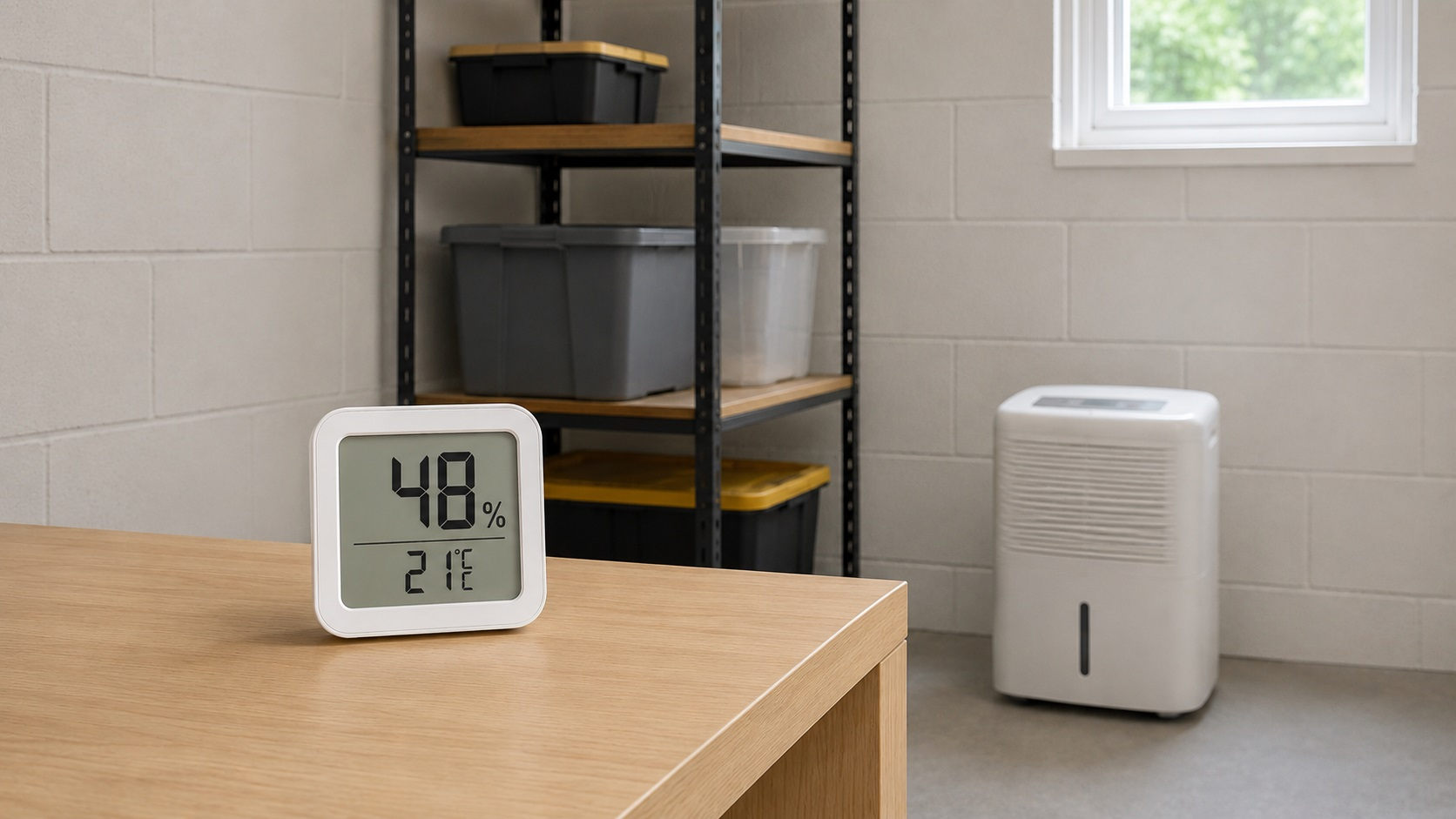
The TempPro TP49 is a compact indoor hygrometer and thermometer for checking room humidity without an app, hub, or smart-home setup. It shows temperature and relative humidity on a small LCD screen, with simple dry, comfort, and wet indicators so homeowners can quickly see whether a room is running dry, comfortable, or humid.
This review looks at the TP49 as a budget humidity monitor, not as a professional inspection tool. It is most useful for bedrooms, basements, closets, laundry rooms, offices, and storage areas where you want a quick visible reading. If you are comparing several models before buying, see our guide to the best hygrometers for home humidity.
Disclosure: This article may contain affiliate links. If you buy through these links, we may earn a commission at no extra cost to you.
Quick Verdict on the TempPro TP49 Hygrometer
Best for: basic room humidity checks in bedrooms, basements, closets, storage areas, offices, and laundry rooms.
Not ideal for: WiFi alerts, app history, remote monitoring, hidden leak detection, or professional moisture testing.
Main strength: a low-cost, easy-to-read display with temperature, humidity, and simple comfort icons.
Main limitation: it measures air conditions only; it does not test drywall, wood, floors, insulation, or hidden cavities.
Bottom line: the TP49 is a practical budget hygrometer if you want a quick room reading without smart features or setup.
What the TempPro TP49 Actually Measures
The TempPro TP49 is the current TempPro-branded version of a small indoor humidity and temperature monitor many shoppers still recognize as the ThermoPro TP49. The Amazon listing states that ThermoPro is now TempPro and that buyers may receive either ThermoPro- or TempPro-branded packaging, so the naming difference should not be treated as a separate model by itself.
The device is made for basic room monitoring. It is not meant to replace a moisture meter, thermal camera, leak sensor, or professional inspection. Instead, it gives homeowners a quick reference point: is this room’s air too dry, generally comfortable, or too humid?
The listed TP49 specifications are straightforward: temperature range from -58°F to 158°F, humidity range from 10% to 99% RH, ±1°F/°C temperature accuracy, ±2% to 3% RH humidity accuracy, 0.1°F/°C temperature resolution, 1% humidity resolution, 10-second refresh rate, °F/°C selection, and power from one AAA battery.
The package is listed as including the humidity gauge, one AAA battery, and a user manual. The manual also lists a limited one-year warranty against defects in parts, materials, and workmanship from the date of purchase.
The TempPro TP49 Hygrometer is useful when you are learning how to test indoor humidity levels. If a basement feels damp, a closet smells musty, or a bedroom feels clammy at night, the TP49 can show whether the air near the device is actually running high in relative humidity.
There is no account setup, phone pairing, WiFi connection, or dashboard to manage. Place the unit where you want to monitor conditions, give it time to adjust to the room, and use the display as a quick humidity reference.
View the TempPro TP49 on Amazon
The TempPro TP49 Key Features Explained
Humidity and Temperature Display
The main feature is the combined humidity and temperature reading. This matters because comfort and moisture risk are not based on humidity alone. A room can feel different depending on temperature, ventilation, and airflow. Seeing both numbers together gives homeowners a better sense of what is happening in the room.
For example, if a basement feels damp and the TP49 shows consistently elevated humidity, that may support the decision to improve ventilation, run a dehumidifier, or investigate whether moisture is entering from another source. If the reading is normal but the room still smells musty, that may point toward another issue, such as hidden damp materials, poor airflow, or old contamination.
Dry, Comfort, and Wet Indicator
The TP49 includes a simple comfort indicator that labels conditions as dry, comfortable, or wet. This is helpful for users who do not want to interpret every humidity percentage manually. Instead of only seeing a number, you get a quick visual cue that the room may be outside a comfortable range.
According to the manual, the dry icon appears below 30% humidity, the comfort icon appears when humidity is between 30% and 60% and temperature is between 68°F and 79°F, and the wet icon appears above 60% humidity.
This feature is a convenience guide, not a diagnosis. A “wet” or high-humidity reading does not prove there is mold, and a normal reading does not prove the home has no moisture problem. It simply helps you understand whether the air around the device is dry, comfortable, or humid at that moment.
Fast Refresh Rate
The TP49 refreshes every 10 seconds, so it can show changes after you adjust a room. If you open a window, turn on a bathroom fan, start a dehumidifier, or move the device to another space, the display can update as the local air conditions change.
This is useful for everyday decisions. You can place it in a laundry room while clothes are drying, move it to a basement after a rainy period, or check whether a bedroom’s humidity rises overnight. The reading is still local to the device, so placement matters. A hygrometer beside a vent, window, humidifier, dehumidifier outlet, or direct sunlight may not represent the whole room accurately. For a more representative room reading, place it several feet away from vents, windows, appliances, and direct moisture sources.
Simple Placement Options
One reason small digital hygrometers are popular is that they are easy to place. The TP49 is compact enough for shelves, counters, desks, storage rooms, closets, and basement ledges. The listing also describes multiple placement options, including tabletop use, hanging, and magnetic placement.
That flexibility matters because humidity is not always the same across the whole home. One room may stay comfortable while another runs damp. A closet may trap humidity because air does not circulate well. A basement may stay more humid than the main living space. A small portable monitor makes it easier to check those areas without installing anything permanent.
Battery-Powered Operation
The TP49 runs on one AAA battery, so it does not need an outlet. That is useful in closets, storage spaces, shelves, and other locations where plugging in a device would be inconvenient. It also makes the unit easy to move between rooms.
The tradeoff is that this is a basic standalone device. It does not send alerts, create humidity logs, or show readings on your phone. If you want remote monitoring, this is not the right type of hygrometer. If you only want a visible room reading, the battery-powered design is part of its appeal.
How the TP49 Performs in Everyday Home Use
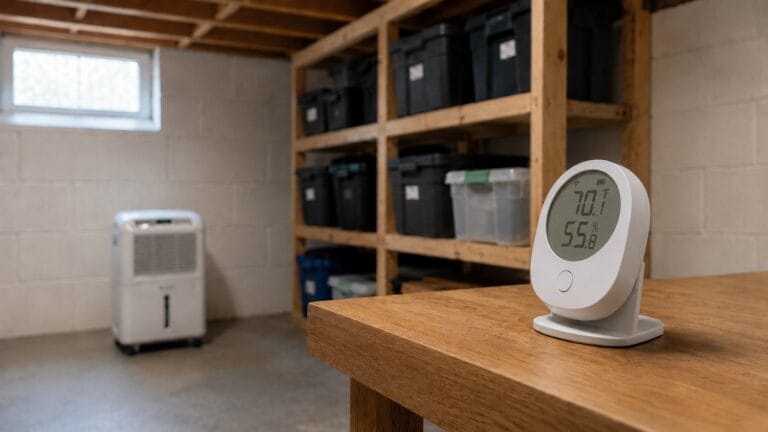
In everyday use, the TempPro TP49 is best for spotting humidity patterns: a basement that stays high after rain, a bathroom that dries slowly after showers, or a closet that holds damp air. It can also show whether a dehumidifier is actually lowering room humidity.
This distinction is important. High indoor humidity can contribute to condensation, musty odors, dust mite comfort, and mold-friendly conditions, but a hygrometer only measures the air around it. It does not inspect drywall, framing, insulation, flooring, or hidden cavities. If you already see staining, swelling, soft materials, visible mold, or recurring dampness, you may need a deeper inspection beyond a room hygrometer.
For everyday monitoring, the TP49 is most useful when you use it to compare patterns. Place it in a basement after rain, a bathroom after showers, a closet that smells musty, or a dehumidifier area where you want to confirm that humidity is dropping.
If you are unsure whether your home is showing broader moisture symptoms, our guide to the signs of high humidity in a house explains what to watch for beyond the number on a hygrometer.
Where the TempPro TP49 Works Best
The TP49 works best in rooms where you want a quick visible humidity reading without smart features. Good locations include bedrooms, living rooms, home offices, closets, storage areas, laundry rooms, and basements. It can also work in a bathroom if it is kept away from direct spray, splashing, and dripping water.
It is also useful for comparing rooms. If the upstairs bedroom reads normal but the basement stays high, that difference tells you where to focus ventilation, dehumidification, or further inspection. For homeowners trying to monitor moisture levels throughout your home, one TP49 may be enough for a single room, while multiple units or a smart system may be better for broader tracking.
Where the TP49 Is Too Basic
The TP49 is intentionally simple, which is both its advantage and its limitation. It does not provide WiFi monitoring, Bluetooth tracking, app alerts, remote readings, or historical humidity graphs. If humidity spikes while you are away from home, this device will not notify you. If you want to track trends over days or weeks, choose a smart hygrometer with logging features.
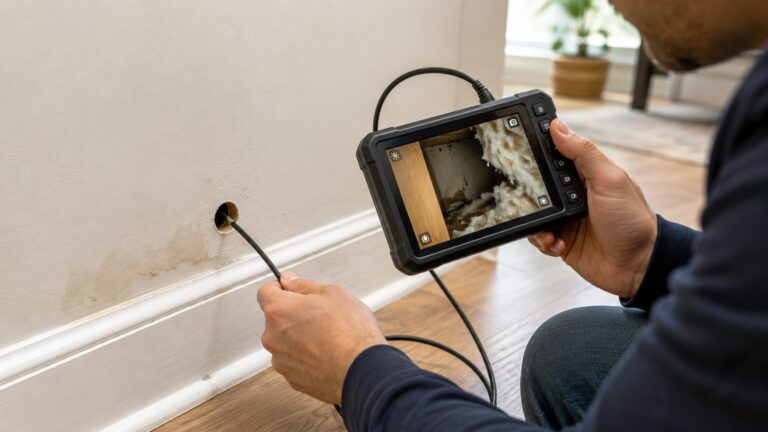
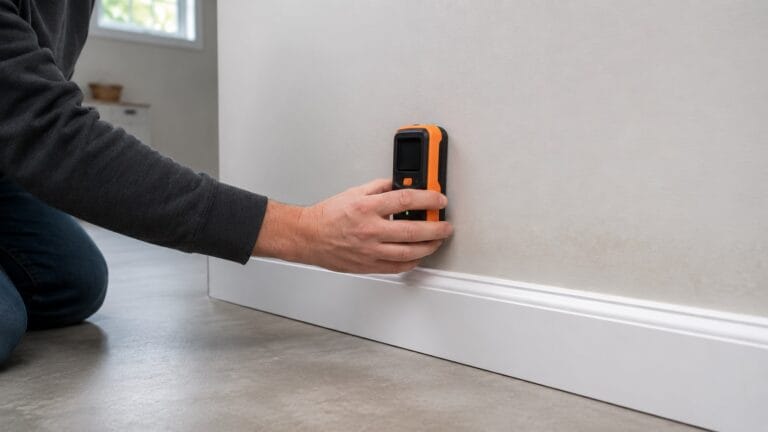
It also should not be confused with a moisture meter. A moisture meter is used to test materials such as wood, drywall, or flooring. The TP49 measures air humidity only. If your concern is indoor air that feels damp, a hygrometer is a good starting point. If your concern is wet drywall, damp wood, or hidden water damage, you need a different tool.
The TP49 is also not a mold detector. It can show humidity conditions that may support mold risk, but visible mold, persistent odor, staining, or recurring dampness still require closer inspection.
Who the TempPro TP49 Makes Sense For
The TempPro TP49 makes the most sense for homeowners who want a visible humidity and temperature reading without paying for smart features. It is a good fit for a bedroom that feels clammy, a basement that seems damp after rain, a closet where stored items smell musty, or a laundry room where moisture builds up during use.
It is also practical if you already use a dehumidifier and want to see whether the room is improving. Without a hygrometer, you are mostly guessing. With the TP49, you can see whether the air is moving toward a more comfortable range.
If you want several low-cost monitors around the house, this type of standalone hygrometer can also make sense. A smart system is better for app-based tracking, but multiple small displays may be enough if you only need quick local readings.
When the TP49 Is Not Enough
Choose a different monitor if you need remote alerts, humidity history, or phone-based tracking. A Bluetooth or WiFi hygrometer is a better fit if you want notifications when a basement gets too humid or if you want to review humidity trends over several days.
You should also use more than a hygrometer if you are dealing with an active moisture problem. Water stains, swollen trim, soft flooring, visible mold, peeling paint, or recurring musty odors may require moisture testing, leak inspection, drying, repair, or professional evaluation.
Do not treat this device as a moisture meter. It only measures air conditions near the device, so it cannot confirm whether drywall, wood, framing, subfloors, cabinets, or insulation are wet.
This is also not ideal for wet splash zones. A bathroom can be a reasonable place to monitor humidity if the unit is placed safely away from direct water exposure, but it should not be placed where it may be sprayed, splashed, or exposed to dripping water.
How the TempPro TP49 Hygrometer Compares to Typical Alternatives
Compared with other basic digital hygrometers, the TempPro TP49 is positioned as a simple, budget-friendly room monitor. Its value comes from quick visibility rather than advanced features. It is the kind of device that works best when you want to glance at a screen and know whether a room is running dry, comfortable, or humid.
Compared with smart hygrometers, the TP49 is much more limited. Smart models may offer Bluetooth or WiFi, phone alerts, historical charts, and multi-room tracking. Those features are useful if you are monitoring a basement while away from home, tracking humidity changes over time, or watching several rooms from one app. The TP49 does not do those things.
Compared with a moisture meter, the TP49 serves a completely different purpose. A moisture meter tests materials. A hygrometer checks air humidity. If your concern is indoor air that feels damp, a hygrometer is a good starting point. If your concern is wet drywall, damp wood, or hidden water damage, you need a different tool.
For many homeowners, the choice comes down to how much information they need. If you want basic room awareness, the TP49 is enough. If you want alerts, trend history, or a broader look at available models, compare it with other options in our guide to the best hygrometers for home humidity.
Frequently Asked Questions About the TempPro TP49 Hygrometer
Is the TempPro TP49 the same as the ThermoPro TP49?
Yes, for this review, the TempPro TP49 and ThermoPro TP49 refer to the same TP49-style indoor hygrometer listing. The current Amazon listing says ThermoPro is now TempPro and that buyers may receive either ThermoPro- or TempPro-branded packaging.
Does the TP49 measure both humidity and temperature?
Yes. The TP49 is designed to show indoor relative humidity and temperature on the same display. That makes it useful for checking basic room comfort and moisture conditions.
Can the TempPro TP49 help prevent mold?
It can help with mold prevention awareness, but it does not prevent mold by itself. The TP49 can show when room humidity is staying high, but reducing mold risk still requires correcting leaks, improving ventilation, drying wet materials, and controlling moisture sources.
Does the TP49 have WiFi, Bluetooth, or app alerts?
No. This is a basic standalone hygrometer. It does not send phone alerts, connect to an app, record history, or monitor the room remotely. If you need those features, choose a smart hygrometer instead.
Can I use the TP49 in a basement?
Yes, a basement is one of the most practical places to use a simple hygrometer. Place it away from direct drafts, dehumidifier exhaust, windows, and wet surfaces so the reading better reflects the room’s general air conditions.
Can I use the TP49 in a bathroom?
It can be used in a bathroom for humidity awareness if it is kept away from direct spray and splash zones. It should not be placed where water can hit it. For bathroom humidity checks, place it in a dry location where it can read the room air safely.
What are the TempPro TP49 specs?
The TP49 has a listed temperature range of -58°F to 158°F, humidity range of 10% to 99% RH, ±1°F/°C temperature accuracy, ±2% to 3% RH humidity accuracy, 0.1°F/°C temperature resolution, 1% humidity resolution, 10-second refresh rate, °F/°C selection, and power from one AAA battery.
Is the TempPro TP49 Worth It?
The TempPro TP49 is worth considering if you want a small, inexpensive hygrometer for basic indoor humidity and temperature checks. Its strongest use is simple room monitoring in bedrooms, basements, closets, storage areas, laundry rooms, offices, and other spaces where humidity conditions matter.
Its limits are clear: no smart alerts, remote monitoring, history, leak detection, material moisture testing, or mold confirmation. If you already have visible damage or recurring moisture problems, treat the TP49 as one clue, not the full diagnosis.
For homeowners who want a budget-friendly indoor humidity monitor with a readable display, comfort icons, quick refresh rate, and flexible placement options, the TP49 is a practical fit.