Govee WiFi Hygrometer H5051 Review: Is It Worth It?
The Govee WiFi Hygrometer H5051 is a smart indoor thermometer and humidity monitor for homeowners who want app alerts, room readings, and humidity history instead of a simple one-time display. It measures temperature and relative humidity, shows the readings on an LCD screen, and connects through the Govee app so you can watch changing conditions over time.
That makes it useful in basements, storage rooms, closets, wine cellars, greenhouses, laundry areas, and other spaces where damp air can build up before obvious symptoms appear. If you want to know whether a room is staying too humid, whether a dehumidifier is helping, or whether humidity spikes after weather changes, the H5051 gives you more useful feedback than a basic standalone hygrometer.
The key limitation is simple: this is a monitoring device, not a moisture repair tool. It does not remove humidity, detect hidden leaks, test wet drywall, or confirm mold growth. For a broader look at product options in this category, see our guide to the best smart hygrometers for home monitoring.
Disclosure: This article may contain affiliate links. If you buy through these links, we may earn a commission at no extra cost to you.
Govee H5051 Quick Verdict
- Best for: Homeowners who want WiFi humidity alerts, room monitoring, and humidity history in a basement, storage area, wine cellar, greenhouse, closet, or laundry room.
- Not ideal for: People who need material moisture testing, direct leak detection, humidity removal, or a simple no-app hygrometer.
- Main strength: App-based monitoring with 2.4GHz WiFi, Bluetooth, alerts, and stored humidity data.
- Main limitation: It only measures temperature and air humidity where it is placed; it does not diagnose the source of a moisture problem.
- Bottom line: The Govee H5051 is a strong smart hygrometer for tracking humidity trends in one room or problem area, especially if you want alerts instead of manually checking a display every day.
What the Govee H5051 Actually Monitors
The Govee H5051 is a WiFi and Bluetooth indoor thermo-hygrometer. It measures temperature and relative humidity, displays readings on an LCD screen, and connects to the Govee app for remote monitoring, alerts, and stored data.
The listed accuracy is ±0.54°F / ±0.3°C for temperature and ±3% RH for humidity. The listed measurement ranges are -4°F to 140°F for temperature and 0% to 99% RH for humidity. It runs on 3 AAA batteries and is designed for indoor room monitoring rather than outdoor exposure or professional building diagnostics.
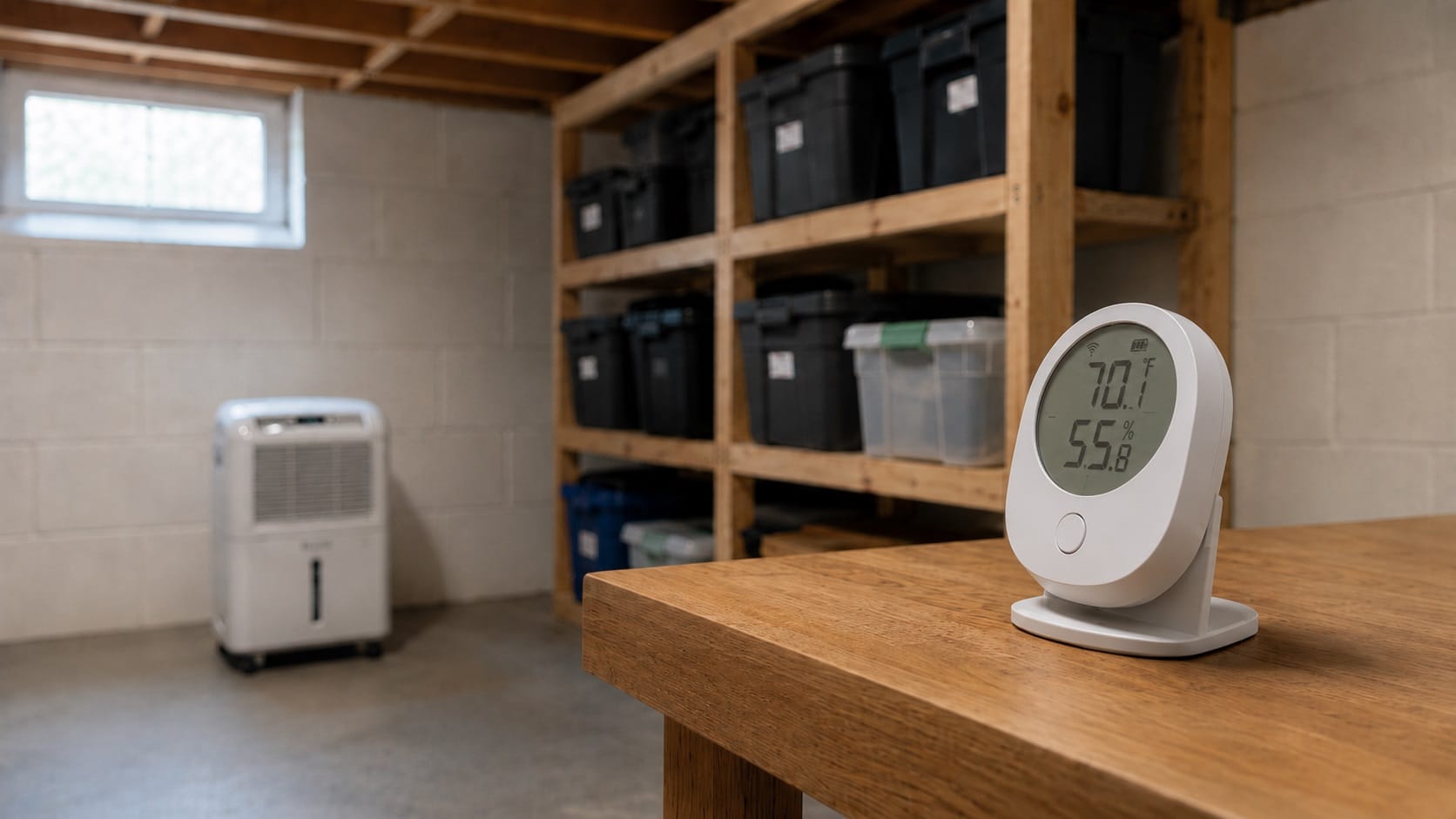
The device is compact, with a listed size of about 3.01 x 2.06 x 0.9 inches. The package is commonly listed with mounting and tabletop placement accessories, so the device can be used either as a small shelf monitor or a wall-mounted room sensor. It can sit on a tabletop stand or be mounted with adhesive, which makes it easy to place on a shelf, basement ledge, storage rack, greenhouse surface, or wine cellar wall.
The H5051 belongs in the broader process of testing indoor humidity levels. It does not fix a moisture problem by itself, but it gives you readings and trend data that can guide better decisions when you are trying to understand whether a room is staying too damp.
Govee H5051 Features That Matter in Daily Use
2.4GHz WiFi and Bluetooth Monitoring
The H5051 connects through 2.4GHz WiFi or Bluetooth. WiFi is the more important feature for remote monitoring because it lets you check readings through the app without standing near the device.
That matters in rooms you do not visit often. A basement, storage room, closet, guest room, greenhouse, or wine cellar may become humid long before you notice a musty smell or visible condensation. Remote monitoring gives you a better chance of catching those changes early.
The important limitation is that the H5051 does not support 5GHz WiFi. If your home network only allows 5GHz connections, the WiFi feature will not be the right fit. In most homes with a normal 2.4GHz network available, the device is better suited for room monitoring than a Bluetooth-only sensor.
App Alerts for Humidity and Temperature Changes
The app alert feature is one of the most practical reasons to choose this model. You can set alert ranges so the app notifies you when temperature or humidity moves outside the level you choose.
For moisture control, humidity alerts are usually the more important feature. If a basement or storage room rises above your target range, the alert can remind you to run a dehumidifier, improve airflow, check for water intrusion, or investigate why the room is changing. This can be helpful when you are trying to prevent recurring dampness rather than waiting for musty odors or visible condensation.
However, an alert does not tell you why the humidity changed. It may be caused by weather, poor ventilation, damp materials, an HVAC issue, a dehumidifier problem, or a hidden moisture source. The H5051 can tell you that the air is humid. It cannot identify the source by itself.
LCD Screen for Quick Room Checks
The built-in LCD screen gives the H5051 an advantage over app-only sensors. You can walk into the room and see the current temperature and humidity without opening your phone.
This makes the device more practical for daily household use. Someone checking a basement, bedroom, nursery, storage room, or greenhouse can glance at the screen first, then use the app when they want history, alerts, or remote access.
The screen also makes the device easier to use for households where not everyone wants to depend on the app. One person may manage the app settings while others simply check the display when they pass through the room.
Historical Data and CSV Export
The H5051’s historical data feature is important because moisture problems often develop as patterns, not isolated moments. A room may only become humid overnight. A basement may spike after rain. A closet may stay damp because air never circulates well. A room may look fine during the day but climb into a higher humidity range when doors are closed.
Stored data helps you see those patterns. The H5051 is especially useful because it is designed for humidity history and CSV export, giving you a way to compare conditions before and after running a dehumidifier, changing ventilation, moving stored items, or adjusting room airflow.
The limitation is that data is only as useful as the placement and interpretation. A hygrometer near a vent, window, exterior wall, damp surface, or direct sunlight may not represent the whole room accurately. The data can guide your thinking, but it should not be treated as a complete diagnosis.
Flexible Placement
The H5051 can be placed on a surface or mounted, which gives homeowners flexibility. For normal room monitoring, a stable tabletop, shelf, or wall location can work well as long as it is not too close to a source that distorts the reading.
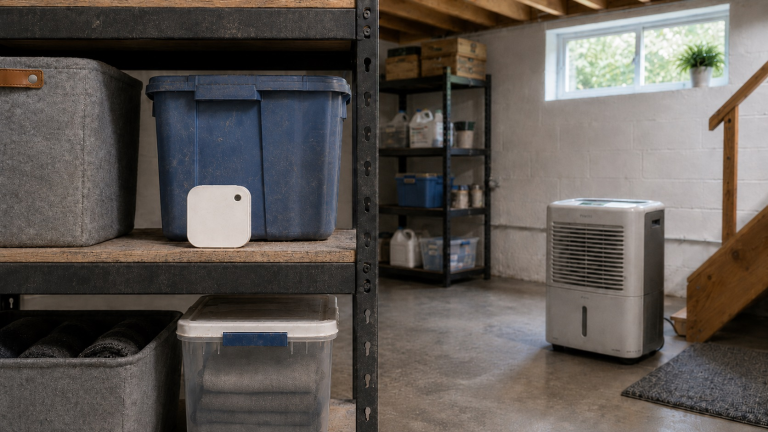
Good placement matters. A humidity monitor should generally be placed where it can measure the room’s air, not where it is affected by direct drafts, sunlight, condensation, appliances, or exterior-wall temperature swings. For a more representative room reading, place it away from supply vents, windows, exterior doors, humidifiers, dehumidifier exhaust, and damp surfaces. In a basement, for example, placing the device beside a dehumidifier exhaust may give a different reading than placing it across the room near a damp wall.
How the H5051 Performs as a Home Humidity Monitor
In real homeowner use, the Govee H5051 is best judged by whether it helps you notice humidity behavior you would otherwise miss. Its strongest role is not one-time measurement. It is ongoing awareness.
A basic hygrometer can tell you the current humidity when you look at it. The H5051 can help you see whether the room stays stable, whether humidity climbs when the weather changes, and whether your moisture-control efforts are working. That makes it useful as a support tool after water damage, during basement moisture control, or when trying to keep storage areas from becoming damp.
It can also help homeowners use dehumidifiers more intelligently. Instead of guessing whether a dehumidifier should run longer, you can watch whether the room actually reaches and holds a better humidity range. If readings stay high after the dehumidifier has been running, the issue may be dehumidifier size, placement, drainage, airflow, outdoor conditions, or another moisture source.
Best Places to Use the Govee H5051
The Govee H5051 works best in spaces where humidity changes matter and remote monitoring adds real value. Basements are one of the clearest examples because humidity can rise after rain, during seasonal weather shifts, or when ventilation is poor.
It can also be useful in closets, storage rooms, laundry rooms, and other enclosed areas where airflow is limited. These spaces can develop musty odors or damp conditions even when the rest of the house feels normal. Monitoring helps you know whether the room is actually staying in a safer range.
The H5051 also fits specialty spaces such as wine cellars and greenhouses, where temperature and humidity stability matter more than in a typical room. In those cases, app alerts and data history are more valuable than a simple display-only device.
For whole-home awareness, the H5051 can be part of a broader plan to monitor moisture levels throughout your home. It is not a whole-house system by itself, but it can give useful information in one important room or problem area.
Where the Govee H5051 Has Limits
The biggest limitation is that the Govee H5051 monitors air conditions only. It does not detect water behind walls, moisture inside wood, damp insulation, floor leaks, roof leaks, plumbing leaks, or mold growth. If a room has a hidden leak but the air humidity has not risen noticeably, this device may not alert you to the problem. If you see staining, soft flooring, active dripping, or a musty odor from a specific wall, cabinet, or floor area, do not rely on air humidity readings alone.
It also does not reduce humidity. If the app shows that a basement or room stays too humid, the next step is not simply adding another monitor. You need to address the cause, which may involve dehumidification, ventilation, drainage, HVAC performance, or hidden moisture investigation. For practical next steps, see our guide on how to reduce humidity in your house.
The 2.4GHz WiFi limitation may also matter for some buyers. If you want a simple device with no setup, no app, and no network connection, a basic digital hygrometer may be easier. If you want advanced smart-home automation, this model is not the strongest choice because its core value is Govee app monitoring rather than broad automation control.
Who the Govee H5051 Is Best For
The Govee H5051 is best for homeowners who want to keep an eye on one important room or problem area without checking a display every day. It makes the most sense in a basement, storage area, closet, wine cellar, greenhouse, laundry room, or damp-prone bedroom where humidity changes may not be obvious right away.
It is also a good match for people using a dehumidifier. The monitor can show whether humidity actually drops, whether it rises again after the dehumidifier shuts off, and whether one part of the room stays more humid than expected.
This is also a better fit for data-minded homeowners than for people who only want a quick glance at today’s humidity. The alerts and stored readings are the reason to choose this model over a cheaper display-only hygrometer.
Who Should Choose a Different Tool
Choose a different tool if your main goal is not air humidity monitoring. A basic digital hygrometer may be enough if you only want a quick room reading and do not need app alerts or stored data.
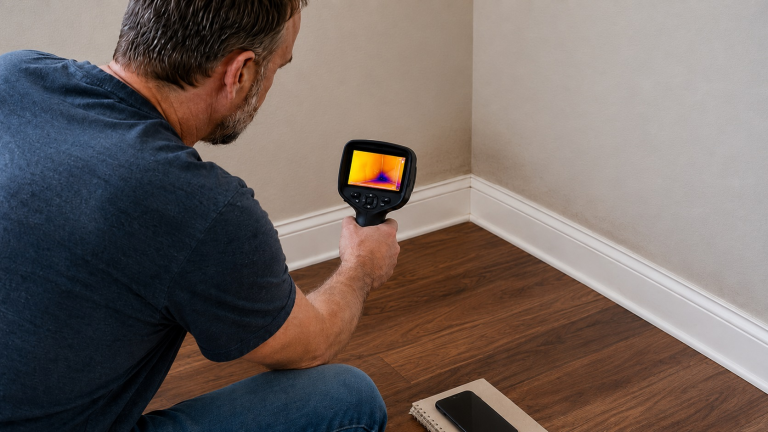
Use a moisture meter instead if you need to test drywall, wood, framing, cabinets, flooring, insulation, or subfloors after a leak. The H5051 measures the air; it does not measure moisture inside building materials.
Use a water leak sensor instead if you need an alert when water touches the floor, a pipe area, a water heater pan, a sump pump area, or an under-sink cabinet. The H5051 may show that the air is humid, but it is not a direct water-contact alarm.
You should also choose another option if your WiFi setup does not support 2.4GHz connections or if you want advanced smart-home automation that is not confirmed for this model.
Govee H5051 vs Basic Hygrometers, Moisture Meters, and Leak Sensors
Compared with a basic digital hygrometer, the Govee H5051 is stronger for ongoing monitoring because it adds app access, alerts, and stored data. A simple display-only hygrometer can work well in a room you check often, but it will not notify you when conditions change while you are away.
Compared with Bluetooth-only sensors, the H5051 is more useful for remote monitoring when connected through 2.4GHz WiFi. Bluetooth can work for nearby checks, but WiFi is more practical when the monitor is placed in a basement, storage room, or other area you do not visit constantly.
Compared with moisture meters and leak sensors, the H5051 answers a different question. It tells you what the air is doing, not whether drywall is wet or whether water is touching the floor. In many homes, it works best alongside a dehumidifier, moisture meter, or leak sensor rather than replacing them.
For broader product comparisons, see our guide to the best hygrometers for home humidity monitoring.
Frequently Asked Questions About the Govee H5051 WiFi Hygrometer
Does the Govee H5051 detect mold?
No. The Govee H5051 does not detect mold or mold spores. It measures temperature and relative humidity. That can help you identify conditions that may support mold growth, but it cannot confirm whether mold is present.
Can the Govee H5051 help prevent humidity problems?
It can help you notice humidity problems earlier, but it does not prevent them by itself. The value of the H5051 is that it can alert you when humidity rises in the room where it is placed and help you track patterns over time. You still need to correct the cause of high humidity.
Does the Govee H5051 work with 5GHz WiFi?
No. The H5051 is listed as a 2.4GHz WiFi device and does not support 5GHz WiFi. It is best for homes where a 2.4GHz network is available for smart devices.
How accurate is the Govee H5051?
The listed accuracy is ±0.54°F / ±0.3°C for temperature and ±3% RH for humidity. That is useful for normal homeowner humidity monitoring, but it should not be treated as professional building-diagnostic accuracy.
Is the Govee H5051 good for basements?
Yes, it can be a useful basement humidity monitor, especially if you want alerts and trend history. It is best for tracking basement air conditions, not for detecting hidden leaks or testing moisture inside walls or flooring.
Can this replace a moisture meter or leak detector?
No. A moisture meter tests moisture in materials such as wood or drywall. A leak detector senses direct water contact. The Govee H5051 monitors air humidity and temperature, so it should be used for environmental monitoring rather than leak detection or material testing.
Final Verdict: Is the Govee H5051 Worth It?
The Govee WiFi Hygrometer H5051 is worth considering if you want a smarter way to watch humidity in one room or problem area. Its strongest use is not simply showing today’s reading; it is helping you notice humidity changes, receive alerts, and compare patterns over time.
The listed ±3% RH humidity accuracy, app alerts, data history, LCD screen, and 2.4GHz WiFi support make it more useful than a basic display-only monitor for homeowners who want ongoing awareness in one damp-prone room or storage area.
The main reason to skip it is if you need a different kind of tool. It will not remove humidity, detect direct water leaks, inspect walls, test flooring, or confirm mold. If you treat it as an early-warning humidity monitor rather than a moisture repair device, the H5051 is a practical fit for the job.