
Best Humidity Controllers for Homes
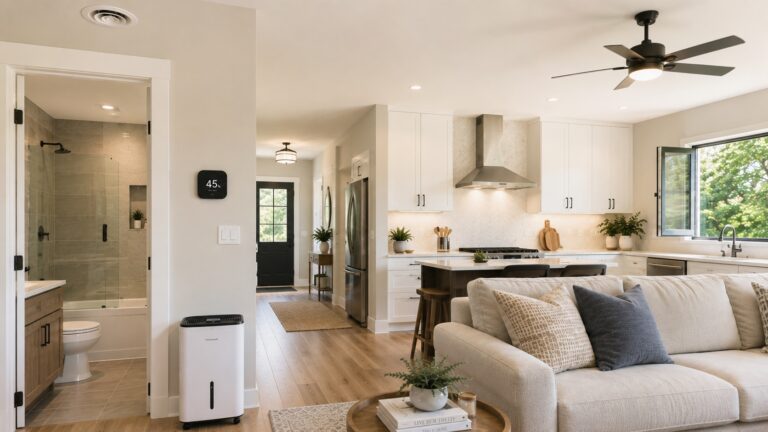
The best humidity controllers for homes do more than show you the relative humidity in a room. They use that reading to automatically turn equipment on or off, such as a dehumidifier, humidifier, exhaust fan, or inline ventilation fan. That makes them different from basic hygrometers, which only measure and display humidity.
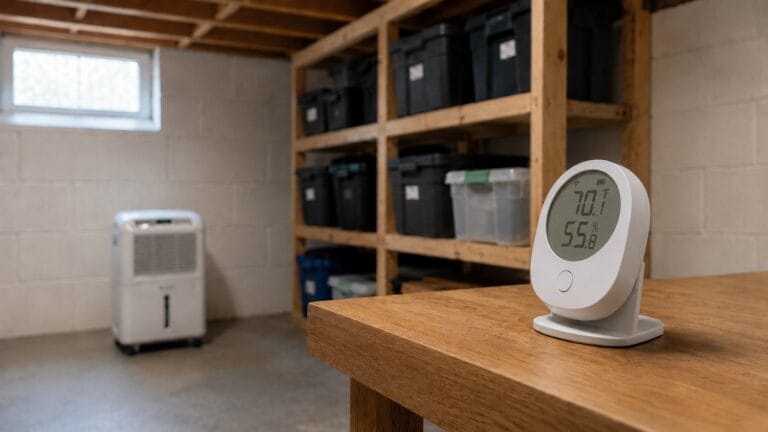
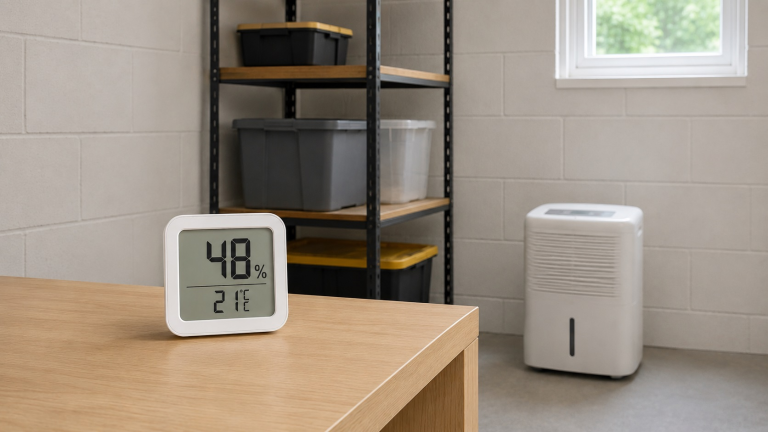
If your basement feels damp again a day after you run the dehumidifier, or a storage room always seems to smell a little musty, a humidity controller can make the setup easier to manage. It will not remove moisture by itself, and it cannot fix leaks, poor drainage, or an undersized dehumidifier. But when paired with compatible equipment, it can help keep the room from drifting back into problem humidity levels. In many homes, the problem is not that the dehumidifier never works. The problem is that humidity rises again when no one is watching it.
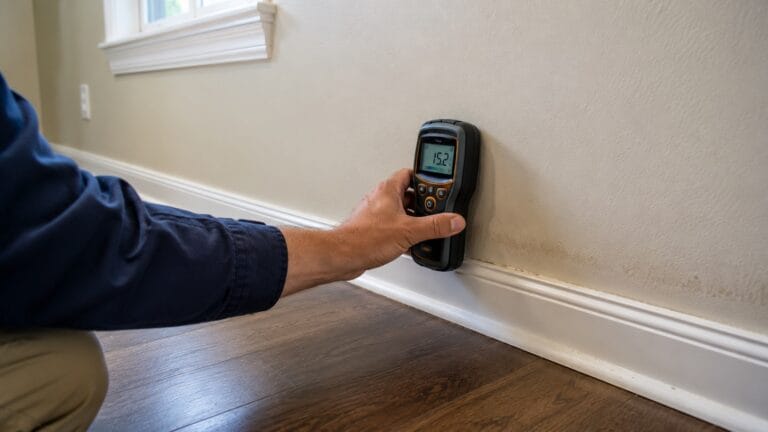
This is especially useful if you already know humidity is a problem, but you do not want to keep manually checking a meter and turning equipment on or off throughout the day. If you are still deciding whether humidity is actually the problem, start with the warning signs of high humidity in a house before choosing a controller.
This guide focuses on the best humidity controllers for homes, including plug-in humidistat controllers, WiFi humidity controllers, temperature-and-humidity controllers, and fan-based ventilation systems. For the basics of measuring humidity before choosing a controller, see our guide on how to test indoor humidity levels. For broader moisture prevention, start with our main guide on how to find, fix, and prevent moisture problems in homes.
Safety note: Always check the controller’s amp or watt rating before connecting a dehumidifier, humidifier, heater, or fan. If the appliance has digital controls, confirm that it restarts automatically after power is interrupted.
As an Amazon Associate, this site earns from qualifying purchases. This does not affect the price you pay. Our recommendations are based on research, product reliability, and real-world usability in moisture-prone environments.
Quick Picks: Best Humidity Controllers for Homes
- Best Overall: Inkbird IHC-200 Humidity Controller — the best simple plug-in controller for automatically switching a humidifier or dehumidifier.
- Best WiFi Upgrade: Inkbird Digital Wi-Fi Humidity Controller IHC-200 — a better option if you want app-based control and remote monitoring.
- Best Advanced Controller: Inkbird ITC-608T Temperature and Humidity Controller — useful when you need to control both temperature and humidity in the same space.
- Best Separate Temp + Humidity Bundle: Inkbird ITC-308 Temperature Controller with IHC-200 Humidity Controller — a good choice if you prefer separate controllers for separate jobs.
- Best Smart Environmental Controller: AC Infinity Controller 69 PRO — best for users building a smart AC Infinity ventilation setup.
- Best Humidity-Controlled Ventilation System: AC Infinity CLOUDLINE PRO T4 — best when you want an inline fan system that can respond to humidity conditions.
- Best Budget Smart Ventilation Alternative: VIVOSUN T4 Inline Duct Fan & Temperature Humidity Controller — a lower-cost smart fan-and-controller option for small ventilation zones.
The right automatic humidity controller depends on whether you need to control a plug-in dehumidifier, add WiFi humidity control, or automate a small ventilation system.
Important: A humidity controller can help manage equipment, but it should not be used to ignore an active leak, foundation seepage, wet building materials, or recurring moisture that keeps coming back after cleanup.
1. Inkbird IHC-200 Humidity Controller
Best Overall Plug-In Humidity Controller
The Inkbird IHC-200 Humidity Controller is the best overall pick because it is simple, practical, and directly matches what most homeowners need from a humidity controller. It is a plug-in humidistat controller with separate outlets for humidification and dehumidification, so it can turn a compatible humidifier or dehumidifier on and off based on the humidity level you set.
This is the clearest choice for a basement, storage room, utility area, enclosed workspace, or crawl-space support zone where you want automatic humidity control without building a smart-home setup. Before relying on it, make sure the appliance you connect can safely restart after power is switched by the controller.
For example, if a basement dehumidifier works well but you do not want it cycling all day manually, this type of controller can make the setup easier to manage.
Key Features:
- Plug-in humidity controller for compatible humidifiers and dehumidifiers
- Separate humidification and dehumidification outlets
- External humidity probe for more flexible sensor placement
- Adjustable humidity setpoints
- Works well for basements, storage rooms, and utility areas
- Simple non-WiFi design for users who want straightforward automatic control
Pros:
- ✔ Clear best fit for automatic humidity control
- ✔ Easier to explain and use than more advanced environmental controllers
- ✔ Can control both humidifying and dehumidifying equipment
- ✔ Strong choice for homeowners who want simple plug-in automation
- ✔ Good option when you do not need WiFi or app control
Cons:
- ✖ Does not provide remote app control
- ✖ Requires compatible equipment that can restart properly after power switching
- ✖ Not a whole-house humidity solution by itself
- ✖ Product marketing may mention greenhouses or growing spaces, which can confuse some homeowners
Best For:
- Homeowners who want a simple humidity controller for a basement or storage room
- Users who want automatic dehumidifier or humidifier control without WiFi
- Moisture-prone spaces where manual on/off control is inconvenient
- People who already know their humidity problem and want equipment automation
Check the Inkbird IHC-200 Humidity Controller on Amazon to see current availability.
2. Inkbird Digital Wi-Fi Humidity Controller IHC-200
Best WiFi Humidity Controller Upgrade
The Inkbird Digital Wi-Fi Humidity Controller IHC-200 makes the most sense if you like the basic function of the regular IHC-200 but want app-based access. It is still a true humidity controller, not just a hygrometer, but it adds remote control for users who want to check or adjust conditions without standing beside the unit.
This is most useful in a basement, storage room, utility area, or greenhouse-style enclosure that you do not check every day. The regular IHC-200 is still the better best-overall pick because it is simpler, but the WiFi version makes sense if you want to check conditions from your phone.
Key Features:
- WiFi humidity controller for app-based access
- Designed to control compatible humidifiers and dehumidifiers
- Useful for remote monitoring in less frequently checked areas
- External humidity probe for flexible placement
- Good upgrade for users who want more visibility than a basic plug-in controller
- Works best when paired with appliances that restart properly after power switching
Pros:
- ✔ Adds app control to the basic humidistat-controller concept
- ✔ Helpful for basements, storage areas, or utility spaces you do not visit often
- ✔ Can reduce the need for constant manual humidity checks
- ✔ Better fit for users who want alerts or remote adjustment
Cons:
- ✖ More complex than the regular non-WiFi IHC-200
- ✖ WiFi features may be unnecessary for simple room control
- ✖ Still depends on compatible connected equipment
- ✖ Not a substitute for fixing leaks, drainage problems, or severe moisture intrusion
Best For:
- Homeowners who want remote humidity control
- Basements, utility rooms, and storage areas that are not checked daily
- Users who prefer app-based adjustment over manual button controls
- People who want a smarter version of a basic humidistat outlet
Check the Inkbird Digital Wi-Fi Humidity Controller IHC-200 on Amazon to see current availability.
3. Inkbird ITC-608T Temperature and Humidity Controller
Best Advanced Temperature and Humidity Controller
The Inkbird ITC-608T Temperature and Humidity Controller is the best advanced pick for users who need to manage both temperature and humidity. Instead of only responding to relative humidity, this controller is built for spaces where temperature changes and moisture behavior are connected.
It fits better in spaces where conditions change together, such as basement work areas, enclosed utility rooms, storage areas, homebrew spaces, or greenhouse-style setups. It is more flexible than a basic humidistat, but it is also more complex. If you only need to switch a dehumidifier on when humidity rises, the regular Inkbird IHC-200 is easier to use.
For broader moisture-reduction strategy, see our guide on how to reduce humidity in a house.
Key Features:
- Advanced controller for both temperature and humidity equipment
- Useful when temperature and moisture conditions need to be managed together
- Can support humidifying and dehumidifying control depending on setup
- More flexible than a basic single-purpose humidity controller
- Good fit for controlled spaces, utility areas, storage areas, and hobby environments
- Best for users comfortable with a more detailed controller setup
Pros:
- ✔ Controls more than humidity alone
- ✔ Useful when temperature changes affect moisture behavior
- ✔ More flexible than a basic plug-in humidistat
- ✔ Good option for controlled spaces with multiple environmental needs
Cons:
- ✖ More complicated than the Inkbird IHC-200
- ✖ Not necessary for users who only need simple dehumidifier control
- ✖ Requires careful setup so the right equipment is connected to the right outlet
- ✖ May be more controller than many homeowners need
Best For:
- Users who need both temperature and humidity automation
- Basement work areas, storage rooms, homebrew spaces, and controlled environments
- People who want more flexibility than a basic humidistat outlet
- Situations where heating, cooling, humidifying, or dehumidifying equipment may need coordinated control
Check the Inkbird ITC-608T Temperature and Humidity Controller on Amazon to see current availability.
4. Inkbird ITC-308 Temperature Controller with IHC-200 Humidity Controller
Best Separate Temperature and Humidity Control Bundle
The Inkbird ITC-308 Temperature Controller with IHC-200 Humidity Controller is a practical option if you want separate devices for temperature and humidity control. The bundle includes a temperature controller and a humidity controller, so each job has its own unit instead of combining everything into one advanced controller.
For most simple basement dehumidifier setups, this is more equipment than necessary. But if your space has both temperature swings and humidity swings, this bundle gives you flexible control while keeping the two functions easy to separate and troubleshoot.
Key Features:
- Bundle with separate temperature and humidity controllers
- Useful for managing temperature equipment and humidity equipment independently
- Includes the IHC-200 humidity controller for humidifier/dehumidifier control
- Good alternative to a single all-in-one advanced controller
- Useful for controlled spaces where both temperature and humidity matter
- Best for users who prefer separate devices for separate control jobs
Pros:
- ✔ Separates temperature control from humidity control
- ✔ Easier to troubleshoot than some all-in-one systems
- ✔ Good option for spaces with both temperature and humidity concerns
- ✔ Includes a dedicated humidity controller rather than relying on monitoring only
Cons:
- ✖ More equipment than many homeowners need
- ✖ Takes more setup space than a single controller
- ✖ Can feel redundant if you only need humidity control
- ✖ Still depends on compatible connected appliances
Best For:
- Users who want separate temperature and humidity control
- Basement workspaces, storage rooms, homebrew areas, and controlled environments
- People who do not want all functions combined into one advanced controller
- Situations where temperature swings and humidity swings both need attention
Check the Inkbird ITC-308 Temperature Controller with IHC-200 Humidity Controller on Amazon to see current availability.
5. AC Infinity Controller 69 PRO
Best Smart Environmental Controller for Ventilation Setups
The AC Infinity Controller 69 PRO is different from the plug-in Inkbird humidity controllers. It is not the best choice if you only want to plug in a standard dehumidifier and let a humidistat switch it on and off. Instead, it is a smart environmental controller for compatible AC Infinity devices.
This makes it a strong choice for smart fan control, ventilation automation, app access, and more advanced environmental programming. For homeowners, it makes the most sense when the goal is controlled ventilation with AC Infinity devices, not simple dehumidifier automation.
Key Features:
- Smart environmental controller for compatible AC Infinity devices
- Useful for automating fans and ventilation equipment
- Can respond to environmental conditions such as humidity and temperature
- App-based control for users who want more visibility and programming options
- Best suited to smart ventilation setups with compatible devices
- Best when used inside the AC Infinity ecosystem
Pros:
- ✔ Strong smart-controller option for compatible ventilation systems
- ✔ More advanced than a basic plug-in humidistat
- ✔ Good for users who want app-based environmental control
- ✔ Works well as part of a larger AC Infinity setup
Cons:
- ✖ Not the best choice for simple plug-in dehumidifier control
- ✖ Most useful with compatible AC Infinity equipment
- ✖ More complex than many homeowners need
- ✖ Should not be presented as a whole-house humidity controller
Best For:
- Users building a smart fan or ventilation setup
- Homes with small controlled spaces that need automated exhaust control
- People already using AC Infinity UIS-compatible products
- Advanced users who want app-based environmental automation
Check the AC Infinity Controller 69 PRO on Amazon to see current availability.
6. AC Infinity CLOUDLINE PRO T4
Best Humidity-Controlled Inline Fan System
The AC Infinity CLOUDLINE PRO T4 is not just a humidity controller. It is an inline duct fan system with smart environmental control, so it belongs in this guide as a humidity-controlled ventilation system rather than a plug-in dehumidifier controller.
This is useful when the goal is to move humid air out of a defined space, such as a small ventilation zone, enclosed utility area, equipment room, or another area with a safe exhaust path. For example, this type of setup makes more sense for a small exhaust zone than for a large basement with damp walls or foundation seepage.
It should not be treated as a direct substitute for a properly sized dehumidifier, especially if the real problem is water intrusion, poor drainage, or high humidity throughout the house. For broader moisture control, see our guide on how to find, fix, and prevent moisture problems in homes.
Key Features:
- Inline duct fan with smart environmental control
- Designed for ventilation and exhaust applications
- Can respond to humidity and temperature conditions
- Useful for small controlled spaces and ducted exhaust setups
- Better for moving humid air than directly controlling a dehumidifier
- Good fit for users who need a fan system, not just a controller
Pros:
- ✔ Combines fan and controller in one ventilation system
- ✔ Useful when the goal is exhausting humid air
- ✔ Strong fit for defined spaces with planned ducting
- ✔ More complete than buying a controller alone for fan-based control
Cons:
- ✖ Not a plug-in dehumidifier controller
- ✖ Requires a suitable ventilation path
- ✖ Not ideal for whole-house humidity problems
- ✖ Can be the wrong solution if the real problem is water intrusion or poor drainage
Best For:
- Small spaces that need automatic exhaust control
- Users who want a fan system with humidity-based automation
- Controlled ventilation zones, utility spaces, and enclosed areas
- Situations where moving humid air out is the main goal
Check the AC Infinity CLOUDLINE PRO T4 on Amazon to see current availability.
7. VIVOSUN T4 Inline Duct Fan & Temperature Humidity Controller
Best Budget Smart Ventilation Controller Alternative
The VIVOSUN T4 Inline Duct Fan & Temperature Humidity Controller is the best budget smart ventilation alternative in this list. Like the AC Infinity CLOUDLINE PRO T4, it is a fan-and-controller system rather than a simple plug-in humidistat for a dehumidifier.
It can make sense for a small ventilation zone, utility area, enclosed growing space, or similar area where fan-based moisture control is the goal. The key is making sure ventilation is actually the right strategy. If the space has a hidden leak or the replacement air is also humid, a fan may move air without solving the moisture source.
Key Features:
- Inline duct fan with temperature and humidity controller
- Designed for small ventilation and exhaust applications
- Smart control features for automated fan behavior
- Designed for small zones where humid air needs an exhaust path
- Alternative to more expensive smart ventilation setups
- Best when the user has a clear ventilation path and defined use case
Pros:
- ✔ Good budget smart ventilation alternative
- ✔ Combines fan and humidity/temperature control
- ✔ Useful for small controlled spaces
- ✔ Helps cover readers who need fan automation rather than dehumidifier control
Cons:
- ✖ Not a universal humidity controller for plug-in appliances
- ✖ Needs a proper exhaust or ventilation setup
- ✖ Not the right solution for every damp basement or room
- ✖ Can be misused if the real problem is a leak, condensation source, or drainage issue
Best For:
- Users who want a lower-cost smart inline fan system
- Small ventilation zones where humidity-based exhaust control makes sense
- People comparing AC Infinity and VIVOSUN fan-controller systems
- Situations where moving humid air out is more important than switching a dehumidifier
Check the VIVOSUN T4 Inline Duct Fan & Temperature Humidity Controller on Amazon to see current availability.
Product Comparison Table
| Category | Product | Controller Type | Best Use Case | Best For |
|---|---|---|---|---|
| Best Overall | Inkbird IHC-200 Humidity Controller | Plug-in humidistat controller | Automatically switching a compatible humidifier or dehumidifier | Most homeowners who want simple humidity automation |
| Best WiFi Upgrade | Inkbird Digital Wi-Fi Humidity Controller IHC-200 | WiFi plug-in humidity controller | Remote monitoring and app-based humidity control | Basements, storage rooms, and utility areas that are not checked daily |
| Best Advanced Controller | Inkbird ITC-608T Temperature and Humidity Controller | Temperature and humidity controller | Managing both temperature and humidity equipment | Controlled spaces with more complex environmental needs |
| Best Separate Temp + Humidity Bundle | Inkbird ITC-308 Temperature Controller with IHC-200 Humidity Controller | Separate temperature and humidity controllers | Independent control of temperature and humidity equipment | Users who prefer separate devices instead of one all-in-one controller |
| Best Smart Environmental Controller | AC Infinity Controller 69 PRO | Smart ecosystem controller | Controlling compatible AC Infinity fans and devices | Smart ventilation setups and AC Infinity users |
| Best Humidity-Controlled Ventilation System | AC Infinity CLOUDLINE PRO T4 | Inline fan with humidity control | Automatically exhausting humid air from a small defined space | Users who need a fan system, not just a controller |
| Best Budget Smart Ventilation Alternative | VIVOSUN T4 Inline Duct Fan & Temperature Humidity Controller | Inline fan with temperature and humidity controller | Budget smart exhaust control for small spaces | Users who want fan-based humidity control at a lower cost |
Humidity Controller vs Hygrometer: What Is the Difference?
A hygrometer tells you the humidity level. A humidity controller uses that humidity reading to turn equipment on or off. If you only need to monitor room conditions, see our guide to the best hygrometers for home humidity. If you want a dehumidifier, humidifier, or fan to respond automatically, you need a controller.
How to Choose the Right Humidity Controller for Your Home
Before choosing a humidity controller, start with the job you actually need done. Do you want a dehumidifier to turn on automatically? Do you need a humidifier to stop a room from getting too dry? Or are you trying to exhaust humid air from a small enclosed space? Those are different problems, and they need different types of controllers.
- Choose a plug-in humidistat if you want to control a dehumidifier or humidifier.
- Choose a WiFi humidity controller if the space is hard to check regularly.
- Choose a temperature and humidity controller if both conditions affect the space.
- Choose a fan-based system if the goal is to exhaust humid air from a defined area.
Before choosing one, think about the space, the equipment you already own, and whether the problem is humidity, poor ventilation, or an active moisture source. For most homeowners, the biggest choice is between a plug-in humidistat outlet and a humidity-controlled fan system.
Choose a Plug-In Humidistat for Simple Dehumidifier or Humidifier Control
For most homeowners, a plug-in humidistat controller is the easiest place to start. This type of controller reads the humidity level and switches a connected device on or off when the room passes the humidity setting you choose.
The Inkbird IHC-200 Humidity Controller is the clearest example in this guide. It is best for simple automatic control of a compatible humidifier or dehumidifier in a basement, storage room, utility room, or other damp zone. This type of dehumidifier humidity controller is usually the simplest choice for basement moisture, storage areas, and utility rooms.
Choose a WiFi Humidity Controller for Remote Monitoring
A WiFi humidity controller is useful when the equipment is in a place you do not check every day, such as a basement storage area, detached workspace, utility room, or enclosed moisture-prone space. If you want remote access, phone-based settings, or easier visibility, the Inkbird Digital Wi-Fi Humidity Controller IHC-200 is the better upgrade.
If the controller is in a room you walk through often, a basic non-WiFi model may be enough.
Choose Temperature and Humidity Control for More Complex Spaces
Some spaces need more than humidity control. Temperature changes can affect condensation, drying speed, and equipment performance. The Inkbird ITC-608T Temperature and Humidity Controller is the best advanced option when temperature and humidity both matter.
If you prefer separate devices for separate jobs, the Inkbird ITC-308 Temperature Controller with IHC-200 Humidity Controller bundle is the cleaner alternative. One controller handles temperature, while the other handles humidity.
Choose a Fan-Based Controller When Ventilation Is the Goal
A fan-based humidity controller is different from a plug-in dehumidifier controller. A dehumidifier removes moisture from the air. A fan moves air from one place to another. That means a humidity-controlled fan system is most useful when you need to exhaust humid air from a defined space.
The AC Infinity CLOUDLINE PRO T4 and VIVOSUN T4 Inline Duct Fan & Temperature Humidity Controller are best understood as ventilation systems with humidity-based control, not basic plug-in humidity controllers. A humidity-controlled exhaust fan is most useful when humid air needs to be removed from a defined space, not when the whole house has a moisture problem.
Choose an Ecosystem Controller Only If You Use Compatible Equipment
Smart environmental controllers can be powerful, but they are not always universal. The AC Infinity Controller 69 PRO is best for users who are already using compatible AC Infinity devices or who plan to build a setup around them.
If your only goal is to plug in a standard dehumidifier and have it turn on at a certain humidity level, a simpler plug-in humidistat is usually more practical.
Humidity Controller Setup and Usage Advice
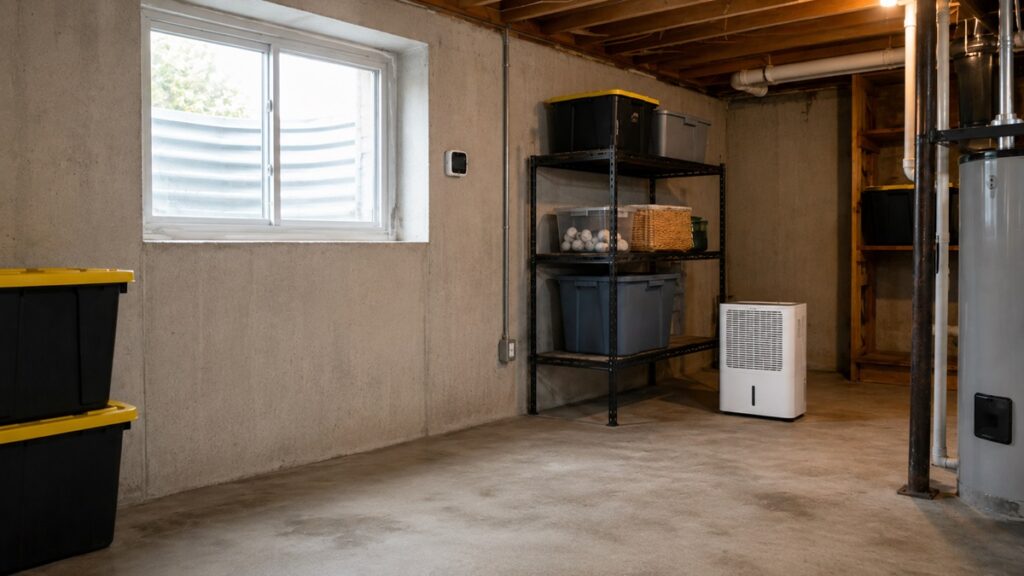
A humidistat controller works best when the sensor, appliance, and humidity setting all match the actual moisture problem in the room. Before installing any controller, decide where the sensor will sit, where the connected equipment will plug in, and whether the cord and probe can be routed without creating a tripping hazard or placing electronics near water.
Check Whether Your Appliance Restarts After Power Is Switched
This is one of the most important setup details. Many plug-in humidity controllers work by cutting power to the connected appliance and restoring power when the humidity level reaches the setpoint. That works well only if the connected dehumidifier, humidifier, or fan starts running again when power returns.
Some appliances with digital controls do not automatically restart after power interruption. If that happens, the humidity controller may turn power back on, but the appliance may stay off until someone presses a button. Before relying on a controller, test the appliance safely or check the appliance manual.
A simple check is to turn the appliance on, unplug it, wait a minute, and plug it back in. If it does not resume running on its own, it may not work well with an outlet-style humidity controller.
Match the Controller Rating to the Equipment Load
Every controller has a maximum electrical load. Do not connect equipment that exceeds the controller’s amp or watt rating. This is especially important with dehumidifiers, heaters, and larger fans because they can draw more power than small humidifiers or low-wattage devices.
If you are unsure whether a controller can safely handle the equipment, do not guess. Check the rating on the appliance and the controller, and follow the manufacturer’s instructions. A humidity controller should make moisture control easier, not create an electrical risk.
Place the Sensor Where It Measures the Room, Not the Machine
Sensor placement affects how well the controller works. If the probe is too close to the dehumidifier outlet, humidifier mist, fan airflow, wet wall, or exterior door, it may read a condition that does not represent the whole room.
For most rooms, place the sensor where it can read the general air conditions. Avoid direct airflow, direct mist, puddles, damp surfaces, sunlight, or exterior drafts. If you are still learning how humidity behaves in the room, use the controller along with a separate hygrometer for a few days and compare readings in different areas. For more detail on measuring humidity correctly, see our guide on how to test indoor humidity levels.
Set the Humidity Target Based on the Problem You Are Solving
Do not choose a humidity setting randomly. A basement with mold risk, a dry winter bedroom, a storage room with paper goods, and a controlled hobby space may all need different settings.
For mold prevention, many homeowners aim to keep indoor humidity from staying too high for long periods. But this article is not a full humidity-settings guide. For specific guidance on target humidity levels for mold prevention, see our article on best dehumidifier settings to prevent mold.
Use a Controller as Part of a Moisture-Control System
A humidity controller is helpful, but it should not be the only moisture-control strategy in a problem area. If the space has recurring moisture, look for the source. Common causes include poor ventilation, wet building materials, plumbing leaks, foundation seepage, blocked drainage, or high outdoor humidity entering the home.
If humidity stays high even when equipment is running, the issue may be bigger than controller settings. You may need a larger dehumidifier, better drainage, improved ventilation, or repairs to stop moisture at the source. For broader strategy, use our guide on how to reduce humidity in a house.
Common Mistakes to Avoid
Mistake 1: Buying a Hygrometer When You Need a Controller
A hygrometer measures humidity. A humidity controller acts on humidity. If you only need to know the relative humidity in a room, a hygrometer may be enough. If you want equipment to turn on or off automatically, you need a controller.
This distinction matters because many products display humidity readings, but not all of them control anything. For this guide, the focus is on devices that help automate humidifiers, dehumidifiers, fans, or ventilation systems.
Mistake 2: Expecting the Controller to Remove Moisture by Itself
A humidity controller does not remove moisture. It only switches another device on or off. If you connect it to the wrong equipment, or if the equipment is too small for the space, the controller will not solve the problem.
For example, a controller can help a dehumidifier run at the right times, but it cannot make an undersized dehumidifier remove enough water from a large damp basement. If you are still choosing the right moisture-removal equipment, see our guide on how to choose and use a dehumidifier effectively.
Mistake 3: Using a Fan System Where a Dehumidifier Is Needed
Fan-based humidity control can be useful, but it is not the same as dehumidification. A fan exhausts air. A dehumidifier removes moisture from the air. If the air being brought into the space is also humid, a fan may not lower humidity enough.
This is why fan-based systems like the AC Infinity CLOUDLINE PRO T4 and VIVOSUN T4 should be used where ventilation is the correct strategy. They are not direct replacements for a dehumidifier in every damp room.
Mistake 4: Ignoring the Real Source of Moisture
If humidity keeps rising, something is feeding the moisture problem. It may be outdoor air, a plumbing leak, wet materials, damp soil, foundation seepage, poor drainage, or daily moisture habits inside the home. If one room keeps getting humid even when equipment is running, check for signs of slow hidden water leaks before assuming the controller is the problem.
A humidity controller can help manage equipment, but it should not become a way to ignore the source. If moisture keeps returning after cleanup or repairs, the problem may need a deeper inspection before more products are added.
Mistake 5: Choosing the Most Advanced Product When a Simple One Would Work
Advanced controllers can be useful, but more features are not always better. If you only need a dehumidifier to run when humidity rises, a simple plug-in humidistat may be more practical than a smart environmental controller or fan ecosystem.
Start with the job you need done. Then choose the simplest controller that does that job safely and reliably.
The questions below cover the most common points homeowners usually need to settle before choosing a humidity controller.
FAQ: Best Humidity Controllers for Homes
What is the difference between a humidity controller and a hygrometer?
A hygrometer measures humidity and shows you the relative humidity level in the room. A humidity controller uses that reading to switch equipment on or off.
If you only want to check the humidity level, a hygrometer may be enough. If you want a humidifier, dehumidifier, fan, or ventilation system to respond automatically, you need a humidity controller.
Can I use a humidity controller with a dehumidifier?
Yes, but only if the dehumidifier is compatible with external power switching. Many plug-in humidity controllers work by cutting power to the connected appliance and restoring power when humidity reaches the setpoint. That means the dehumidifier must be able to restart automatically when power returns.
Some dehumidifiers with digital controls may not resume running after a power interruption. Before depending on a controller, check the dehumidifier manual or test whether the unit restarts properly after being unplugged and plugged back in.
Can I use a humidity controller with a humidifier?
Yes. Many plug-in humidity controllers can also control a humidifier. This is useful in dry rooms where humidity drops too low, especially during heating season. The controller can turn the humidifier on when the room becomes too dry and shut it off when the target humidity level is reached.
As with dehumidifiers, make sure the humidifier is compatible with outlet-style control and does not require someone to press a power button every time electricity is restored.
What humidity level should I set my controller to?
The right setting depends on the room and the problem you are trying to solve. A basement with mold risk may need a different target than a dry bedroom, storage area, or controlled hobby space. In general, the goal is to avoid letting humidity stay high long enough to support mold, musty odors, condensation, or damp materials.
For mold prevention, do not rely on a controller setting alone. You also need the right dehumidifier, good air movement, and a plan to fix moisture sources. For more specific guidance, see our article on best dehumidifier settings to prevent mold
Are greenhouse or hydroponic humidity controllers safe for home use?
Many humidity controllers are marketed for greenhouses, hydroponics, mushrooms, grow tents, reptiles, or other controlled environments because those spaces require automatic humidity control. That does not automatically make the controller unsuitable for home use.
What matters is whether the controller matches the equipment and the space. Check the controller’s electrical rating, use it only with compatible appliances, follow the manufacturer’s instructions, and avoid using it in unsafe locations. For normal home moisture problems, plug-in humidistat controllers are usually easier to apply than specialized grow-tent systems.
Is a WiFi humidity controller worth it?
A WiFi humidity controller is worth it if the controller will be in a space you do not check often. Basements, storage areas, utility rooms, crawl-space support zones, and detached work areas can all benefit from remote access if you want to monitor conditions without walking to the controller.
WiFi is less important if the controller is in a room you pass through every day. In that case, a simpler non-WiFi controller may be easier, cheaper, and more practical.
Can a humidity-controlled fan replace a dehumidifier?
Not usually. A humidity-controlled fan moves humid air out of a space, while a dehumidifier removes moisture from the air. A fan can help when the replacement air is drier or when the goal is local exhaust. But if the incoming air is humid, or if the space has active water intrusion, a fan may not lower humidity enough.
Fan-based systems such as inline duct fans are best for defined ventilation zones. For damp basements, storage rooms, and larger moisture-prone spaces, a dehumidifier or broader moisture-control plan may still be necessary.
Where should I place the humidity sensor?
Place the sensor where it reads the general air conditions in the room. Avoid placing it directly beside a humidifier, dehumidifier outlet, fan, wet wall, exterior door, window, air supply vent, or direct sunlight. Those locations can give false readings and cause the controller to switch equipment too soon or too late.
If the room has uneven humidity, test several locations before deciding where the sensor should stay. For more help with measurement methods and placement, see our guide on how to test indoor humidity levels.
Conclusion: Which Humidity Controller Should You Choose?
The best humidity controller for most homeowners is the Inkbird IHC-200 Humidity Controller because it is simple, practical, and directly controls compatible humidifiers or dehumidifiers. If you want app access, choose the Inkbird Digital Wi-Fi Humidity Controller IHC-200. If your space needs both temperature and humidity control, the Inkbird ITC-608T Temperature and Humidity Controller is the stronger advanced option.
For smart ventilation setups, the AC Infinity Controller 69 PRO makes sense if you are using compatible AC Infinity equipment. If you need a fan-and-controller system instead of a plug-in humidistat, the AC Infinity CLOUDLINE PRO T4 is the stronger ventilation pick, while the VIVOSUN T4 Inline Duct Fan & Temperature Humidity Controller is the budget smart ventilation alternative.
The best home humidity controller is not always the most advanced model. It is the one that safely controls the right equipment for the space you are trying to manage.
Start with the job you need the controller to do. If you need to switch a dehumidifier or humidifier, choose a plug-in humidistat. If you need to exhaust humid air, choose a fan-based system. If you only need to know the humidity level, you may need a hygrometer instead of a controller.