Best Multi-Room Hygrometer Systems for Home Humidity Monitoring
Introduction
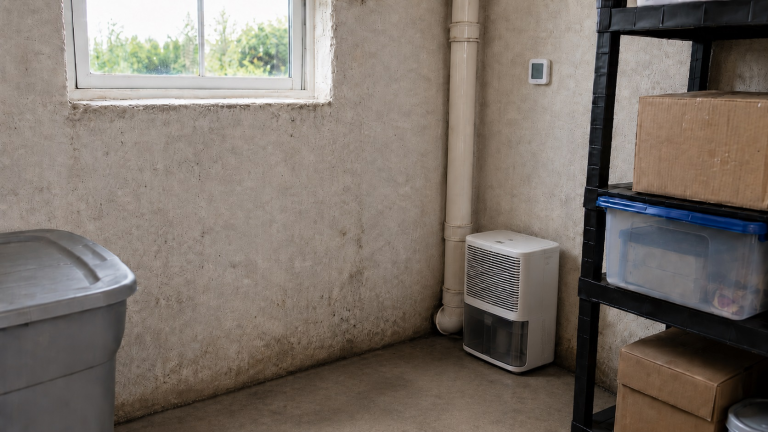
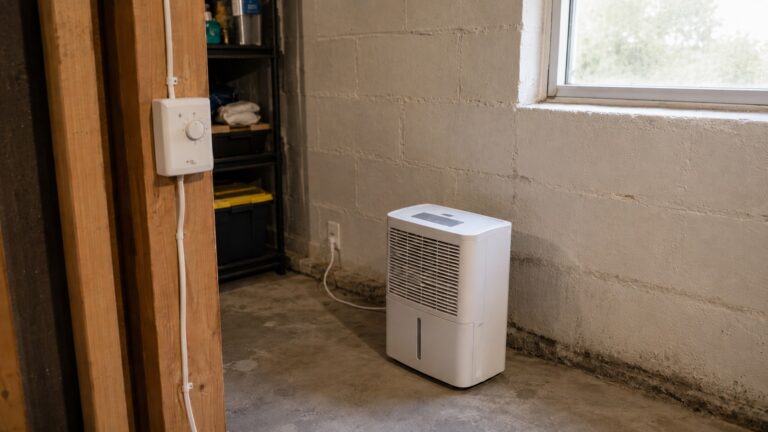
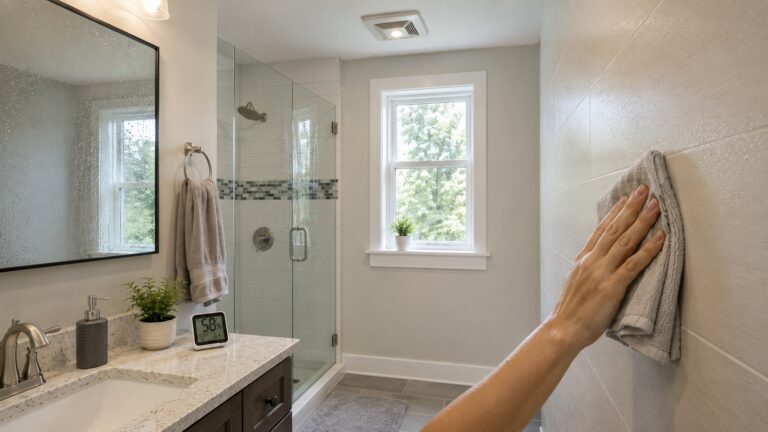
Humidity problems rarely affect every room in a home the same way. A basement may feel damp, a bathroom may stay humid after showers, a bedroom may have condensation near windows, and a closet may smell musty even when the rest of the house feels normal. That is why a single humidity monitor often does not tell the whole story.
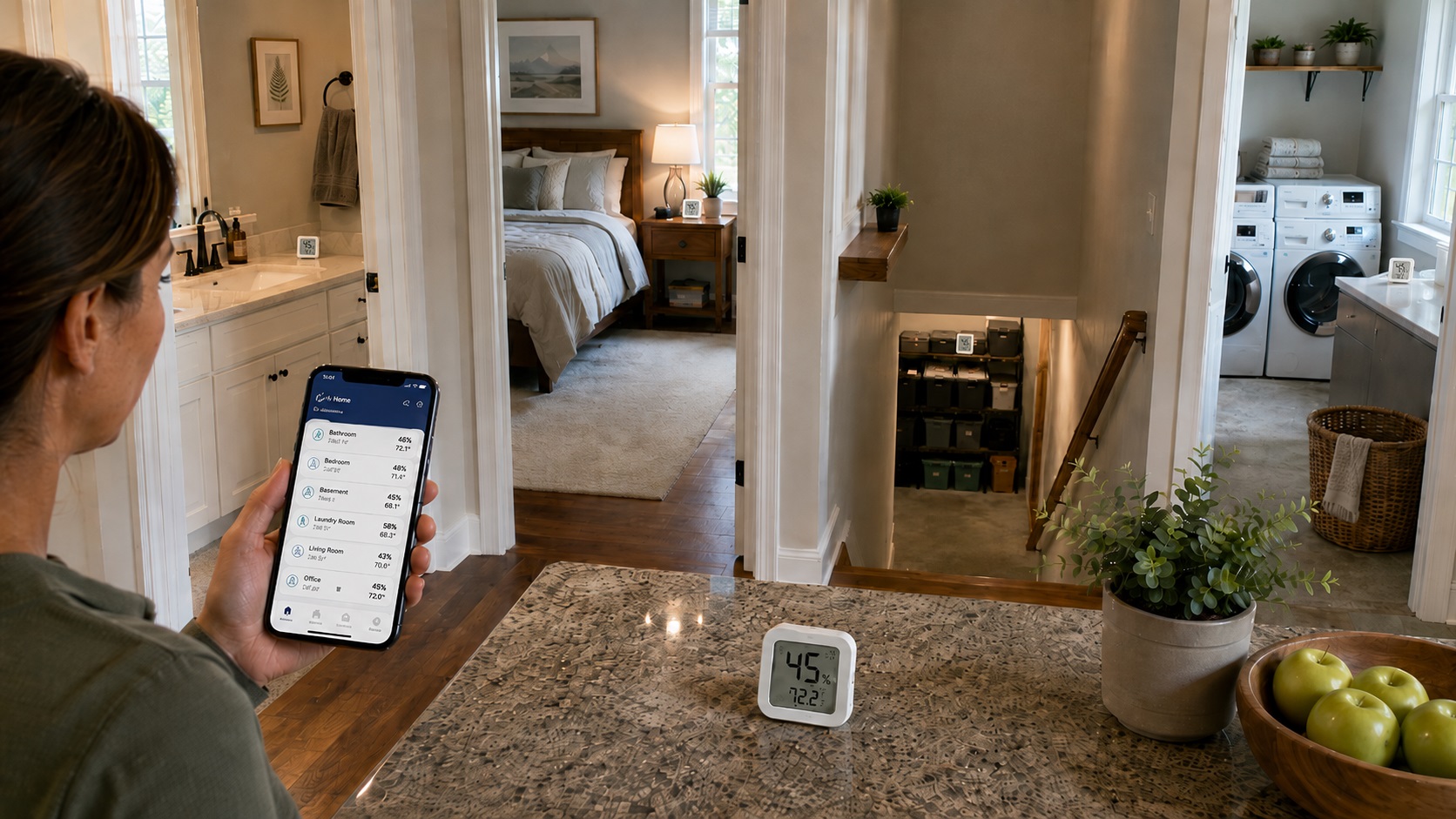
The best multi-room hygrometer systems help you compare humidity levels in several rooms at once. Instead of guessing whether one problem area is isolated or part of a larger moisture pattern, you can watch readings in basements, bathrooms, bedrooms, crawl space entrances, laundry rooms, garages, or storage areas over time.
This guide focuses on multi-room humidity monitoring systems that make sense for regular homeowners, not laboratory equipment. Some use a central display, some use an app, and others combine multiple wireless sensors with alerts or remote monitoring. If you are still learning how to interpret readings, start with our guide on how to test indoor humidity levels before choosing a system.
As an Amazon Associate, DryHomeGuide.com may earn from qualifying purchases at no extra cost to you.
Quick Picks Summary
- Best Overall: Govee Hygrometer Thermometer 3Pack H5100
- Best No-App System: TempPro / ThermoPro TP60-3 Digital Hygrometer Indoor Outdoor Thermometer
- Best Central Display: AcuRite 01096M Temperature & Humidity Station with 3 Indoor/Outdoor Sensors
- Best for More Rooms: Ambient Weather WS-10-X4 Wireless Indoor/Outdoor 8 Channel Thermo-Hygrometer with Four Remote Sensors
- Best Premium Monitoring System: SensorPush HT1 Wireless Thermometer/Hygrometer with optional SensorPush G1 WiFi Gateway
- Best WiFi Multi-Room System: GoveeLife WiFi Hygrometer Thermometer 9 Pack
Product Reviews
Best Overall: Govee Hygrometer Thermometer 3Pack H5100
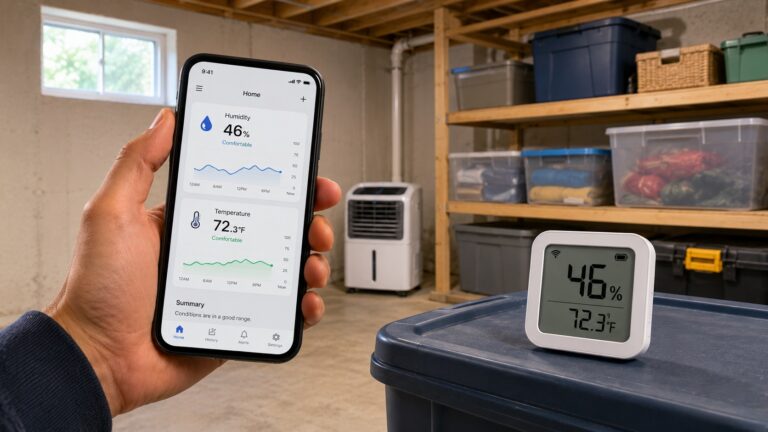
The Govee Hygrometer Thermometer 3Pack H5100 is one of the easiest recommendations for homeowners who want a practical multi-room hygrometer system without building a complicated smart-home setup. The three included sensors make it useful for comparing several rooms at once, such as a basement, bedroom, bathroom, closet, or laundry area.
Its biggest advantage is that it combines room-by-room monitoring with app-based tracking. That is helpful when you want to know whether humidity spikes happen at certain times of day or after certain activities, such as showering, cooking, running laundry, or opening basement windows. For homeowners trying to understand why some rooms have higher humidity than others, a three-sensor system gives much more useful context than a single tabletop hygrometer.
Key Features
- Three compact sensors for monitoring several rooms or moisture-prone areas.
- Bluetooth app monitoring for checking readings from a phone when in range.
- Useful for tracking humidity patterns over time rather than relying on one quick reading.
- Small sensor design fits well in closets, cabinets, bedrooms, bathrooms, and storage areas.
- Good balance of convenience, affordability, and whole-home usefulness.
Pros
- ✔ Strong fit for homeowners who want multi-room readings without a large display console.
- ✔ Three sensors are enough for many common home layouts.
- ✔ App history can help reveal humidity spikes and recurring dampness patterns.
- ✔ Compact design makes placement flexible.
Cons
- ✖ Bluetooth range can be affected by walls, floors, and distance.
- ✖ It may not be ideal if you want a large central screen instead of phone-based checking.
- ✖ Remote monitoring away from home may require a different WiFi-based setup.
Best For
- Homeowners who want to compare humidity in several rooms without buying separate single-room monitors.
- Bathrooms, bedrooms, closets, finished basements, laundry rooms, and storage areas.
- People who want app history but do not need a full professional monitoring system.
Check the Govee Hygrometer Thermometer 3Pack H5100 on Amazon to see current availability.
Best No-App System: TempPro / ThermoPro TP60-3 Digital Hygrometer Indoor Outdoor Thermometer
The TempPro / ThermoPro TP60-3 is a better fit for readers who want a simple multi-room humidity monitor without relying on a phone app. Instead of checking several individual displays around the house, you can place sensors in different areas and view the readings from a central receiver.
This style of system is useful for people who want quick, visible readings in practical locations. For example, you might place sensors in a basement, garage, bedroom, and main living area to see which space is consistently higher. If your goal is to identify general moisture patterns rather than analyze detailed graphs, this type of no-app setup may be more convenient than a Bluetooth-only system.
It is also a good choice for families, rental properties, older homeowners, or anyone who does not want another app account. For readers who mainly need to know whether certain rooms are drifting into a risky humidity range, a simple display-based system can be easier to live with day after day.
Key Features
- Central display with multiple remote humidity and temperature sensors.
- No smartphone app required for normal use.
- Useful for monitoring several areas from one location.
- Indoor/outdoor style design can also work for garages, porches, or protected utility areas.
- Good option for homeowners who want straightforward readings without smart-home features.
Pros
- ✔ Simple display-based operation.
- ✔ Good for users who dislike app-only products.
- ✔ Helpful for checking multiple rooms from one spot.
- ✔ Practical for basements, garages, and everyday living spaces.
Cons
- ✖ Less advanced than app-based systems with long-term data charts.
- ✖ Display placement matters because you need to read the base unit.
- ✖ May not provide the same level of detailed historical tracking as smart systems.
Best For
- Homeowners who want multi-room humidity monitoring without using an app.
- Basements, garages, living areas, bedrooms, and utility rooms.
- People who want a practical display they can glance at during daily routines.
Check the TempPro / ThermoPro TP60-3 on Amazon to see current availability.
Best Central Display: AcuRite 01096M Temperature & Humidity Station with 3 Indoor/Outdoor Sensors
The AcuRite 01096M is a strong choice if you want a dedicated display station for room-by-room humidity tracking. It includes three remote sensors and a display that can help homeowners compare multiple areas without needing to open an app each time.
This type of system is especially useful when the display will sit somewhere visible, such as a kitchen counter, home office, utility room, or basement stair landing. Instead of walking around the house with a handheld meter, you can check several readings from one screen. That can help you notice if one room is consistently more humid than the others.
AcuRite is also a familiar brand in home weather and indoor monitoring products, which makes this a more comfortable pick than many generic multi-sensor systems. It is not the most advanced option in this guide, but it fits the needs of many homeowners who want a central station for humidity awareness.
Key Features
- Central display station with three remote temperature and humidity sensors.
- Designed for monitoring several locations around the home.
- Useful for comparing different rooms instead of relying on one reading.
- Good option for users who prefer visible readings over app-based dashboards.
- Can help reveal patterns in basements, bedrooms, garages, and storage spaces.
Pros
- ✔ Central display is easy to check at a glance.
- ✔ Three remote sensors support true multi-room monitoring.
- ✔ Good fit for homeowners who want a dedicated humidity station.
- ✔ More practical than buying several unrelated single-room hygrometers.
Cons
- ✖ Not as compact as small sensor-only systems.
- ✖ Less suitable for users who want advanced app alerts and remote access.
- ✖ Display-based systems still need thoughtful sensor placement to avoid misleading readings.
Best For
- Families who want one central screen for multiple rooms.
- Homeowners monitoring a basement plus upstairs living areas.
- Users who want a simple station-style setup instead of a phone-first system.
Check the AcuRite 01096M Temperature & Humidity Station on Amazon to see current availability.
Best for More Rooms: Ambient Weather WS-10-X4 Wireless Indoor/Outdoor 8 Channel Thermo-Hygrometer with Four Remote Sensors
The Ambient Weather WS-10-X4 is one of the best multi-room hygrometer systems for homeowners who need more than two or three sensor locations. It includes four remote sensors and is designed around multi-channel monitoring, which makes it especially useful for larger homes or houses with several known problem areas.
This is the type of system to consider if you want to compare a basement, garage, crawl space entrance, bathroom, laundry room, and main living area. It can also be useful when monitoring after repairs, especially if you want to make sure a previously damp area is not trending upward again. For more on that type of follow-up, see our guide on how to monitor areas after leak repairs.
The WS-10-X4 is less sleek than some app-based systems, but it is very practical. The emphasis is on multiple channels, a central display, and alarms. For homeowners who want broader coverage, that matters more than having the smallest sensor or the prettiest app.
Key Features
- Includes four remote thermo-hygrometer sensors.
- Designed for monitoring multiple channels from one display.
- Expandable design supports larger monitoring layouts.
- Useful for basements, garages, crawl spaces, bathrooms, and storage areas.
- Alarm features can help call attention to readings outside your preferred range.
Pros
- ✔ Better room coverage than many three-sensor kits.
- ✔ Strong option for larger homes or multiple moisture-prone areas.
- ✔ Central display makes it easy to compare readings.
- ✔ Practical for ongoing monitoring after repairs or moisture events.
Cons
- ✖ More equipment than some homeowners need.
- ✖ Display-style interface may feel less modern than app-based systems.
- ✖ Sensor placement and channel labeling are important to avoid confusion.
Best For
- Larger homes with several humidity-sensitive rooms.
- Basements, crawl space entrances, garages, bathrooms, and storage zones.
- Homeowners who want more sensors without relying primarily on a phone app.
Check the Ambient Weather WS-10-X4 on Amazon to see current availability.
Best Premium Monitoring System: SensorPush HT1 Wireless Thermometer/Hygrometer with Optional SensorPush G1 WiFi Gateway
The SensorPush HT1 is the premium pick in this guide, especially when paired with the optional SensorPush G1 WiFi Gateway. The HT1 sensor itself is compact and app-based, while the gateway adds remote access when you want to check readings away from home.
This setup makes the most sense for people who care about long-term tracking, alerts, and remote monitoring. It may be more than you need for a basic bedroom or bathroom, but it can be valuable in a crawl space, basement, vacation home, storage area, wine storage space, or any location where humidity problems could go unnoticed for long periods.
One important note: the HT1 and G1 Gateway are usually purchased separately, so this recommendation should be treated as a premium setup rather than a single boxed multi-room kit. If you want to monitor several rooms, you would typically use multiple SensorPush sensors and connect them through the app and gateway setup.
Key Features
- Compact wireless humidity and temperature sensor.
- App-based tracking for long-term humidity history.
- Optional G1 WiFi Gateway allows remote monitoring away from home.
- Expandable setup for users who want to add more sensors over time.
- Strong fit for high-value or hard-to-check areas.
Pros
- ✔ Premium monitoring approach for serious humidity tracking.
- ✔ Remote access is useful for vacation homes, basements, crawl spaces, and storage areas.
- ✔ Expandable as your monitoring needs grow.
- ✔ Better for long-term data review than simple display-only systems.
Cons
- ✖ More expensive when building a multi-room setup with multiple sensors.
- ✖ Gateway is a separate add-on rather than included with the HT1 sensor.
- ✖ Not the simplest choice for users who only want a quick room reading.
Best For
- Homeowners who want premium monitoring and long-term humidity records.
- Remote properties, crawl spaces, basements, storage rooms, and high-risk areas.
- Users who want to expand a monitoring system over time.
Check the SensorPush HT1 on Amazon to see current availability.
Check the SensorPush G1 WiFi Gateway on Amazon if you want remote monitoring capability.
Best WiFi Multi-Room System: GoveeLife WiFi Hygrometer Thermometer 9 Pack
The GoveeLife WiFi Hygrometer Thermometer 9 Pack is the most complete multi-room option in this list for people who want many sensors from the start. Instead of buying one or two monitors and expanding later, this type of kit is built for room-by-room humidity tracking across a wider home.
This is especially useful if you want to watch humidity in bedrooms, bathrooms, closets, garage areas, a basement, a laundry room, and storage spaces at the same time. A larger sensor kit can also help when you are trying to find hidden humidity sources. If one area keeps rising while nearby rooms stay normal, that pattern may point you toward a local moisture source, ventilation issue, or damp material. For a deeper diagnostic process, see our guide on how to detect hidden humidity sources.
The main reason not to choose this system is that it may be more than smaller homes need. If you only need three rooms, the Govee H5100 or AcuRite system may be simpler. But if you want broad WiFi-based room coverage, this is one of the strongest fits for the topic.
Key Features
- Nine-sensor kit for wider whole-home humidity monitoring.
- WiFi-based system design for app access and multi-room tracking.
- Useful for comparing humidity across many rooms and storage areas.
- Good option for identifying uneven humidity patterns in different parts of the home.
- Strong fit for homeowners who want a larger system immediately.
Pros
- ✔ More sensors than most basic multi-room hygrometer kits.
- ✔ Good fit for larger homes or homes with many moisture-prone areas.
- ✔ WiFi/app design is useful for checking multiple spaces from one place.
- ✔ Helps compare room-to-room humidity differences across the whole home.
Cons
- ✖ More sensors than many homeowners need.
- ✖ App-based systems depend on setup quality, WiFi conditions, and user preferences.
- ✖ Overkill for a single basement, bathroom, or bedroom problem.
Best For
- Whole-home humidity monitoring across many rooms.
- Large homes, multi-level homes, or homes with multiple damp zones.
- Users who want WiFi-based multi-room readings instead of a simple central display.
Check the GoveeLife WiFi Hygrometer Thermometer 9 Pack on Amazon to see current availability.
Product Comparison Table
| Product | Category Label | Best Use Case | Key Strengths | Main Limitation | Amazon Link |
|---|---|---|---|---|---|
| Govee Hygrometer Thermometer 3Pack H5100 | Best Overall | Most homeowners who want easy multi-room app monitoring | Three compact sensors, app tracking, good balance of simplicity and usefulness | Bluetooth range can vary by home layout | View on Amazon |
| TempPro / ThermoPro TP60-3 | Best No-App System | Users who want a central display without phone setup | Simple display, multiple sensors, easy daily checking | Less advanced data history than smart app systems | View on Amazon |
| AcuRite 01096M Temperature & Humidity Station | Best Central Display | Families who want a dedicated display for several rooms | Three sensors, central station format, easy room comparison | Not ideal for users who want remote app access | View on Amazon |
| Ambient Weather WS-10-X4 | Best for More Rooms | Larger homes or multiple known moisture-prone areas | Four included sensors, multi-channel display, expandable monitoring | More complex than basic three-sensor kits | View on Amazon |
| SensorPush HT1 + Optional G1 Gateway | Best Premium Monitoring System | Remote monitoring, crawl spaces, basements, storage rooms, and vacation homes | Premium app tracking, expandable sensors, optional remote access through gateway | Gateway and extra sensors add cost | HT1 on Amazon / G1 Gateway on Amazon |
| GoveeLife WiFi Hygrometer Thermometer 9 Pack | Best WiFi Multi-Room System | Whole-home monitoring across many rooms | Nine sensors, WiFi/app design, broad room coverage | May be overkill for smaller homes | View on Amazon |
Buying Guide: How to Choose the Right Multi-Room Hygrometer System
The right multi-room hygrometer system depends on how many spaces you need to watch, how serious the moisture concern is, and whether you want simple readings or long-term data. A homeowner checking two bedrooms and a bathroom does not need the same system as someone monitoring a basement, crawl space entrance, garage, utility room, and storage closet.
Choose the Number of Sensors Based on Real Problem Areas
Start by listing the rooms where humidity actually matters. Common locations include basements, bathrooms, laundry rooms, closets, garages, crawl space access areas, bedrooms with window condensation, and storage rooms. If you only have three target areas, a three-pack such as the Govee H5100 or a three-sensor central station may be enough.
If you have a larger home or multiple moisture-prone zones, the Ambient Weather WS-10-X4 or GoveeLife 9 Pack makes more sense. More sensors are useful when you want to compare patterns, but they can also become confusing if you do not label and place them carefully.
Decide Whether You Want a Display or an App
Display-based systems are best when you want quick visual readings. They are usually easier for households where several people may check the monitor. App-based systems are better when you want history, notifications, or remote access. Neither format is automatically better. The best choice depends on how you will actually use the data.
If you want simple awareness, choose a display system. If you want to track trends after water damage, seasonal humidity swings, or recurring dampness, choose an app-based system with history.
Think About Remote Monitoring Only If You Need It
Remote monitoring is valuable for vacation homes, crawl spaces, basements, storage areas, and properties you do not check every day. It is less important for a bathroom, bedroom, or main living area that you walk through often. If remote access matters, the SensorPush HT1 with G1 Gateway or a WiFi-based GoveeLife system is a better fit than a simple display station.
Use Multi-Room Readings to Find Patterns, Not Just Numbers
A hygrometer reading is useful, but the pattern matters more. If one room is always higher than the rest, that room may have poor ventilation, cold surfaces, hidden moisture, or a local water source. If every room rises at the same time, you may be dealing with whole-home humidity, weather influence, or HVAC behavior. Our guide on how to stabilize indoor humidity levels explains how long-term control depends on patterns, not just one reading.
Do Not Buy More Technology Than You Will Maintain
A powerful app-based system is only useful if you check it, keep batteries fresh, label sensors, and understand the readings. For many homeowners, a simpler display-based system will produce better real-world results because it is easier to use consistently.
Setup and Usage Advice
Correct placement is just as important as choosing the right product. A poorly placed sensor can make a room look safer or worse than it really is.
Place Sensors Away From Direct Moisture Sources
Do not place a sensor directly beside a shower, sink, humidifier, dehumidifier outlet, open window, dryer vent, or HVAC supply register. Those locations may show short-term spikes or artificially low readings that do not represent the room as a whole.
Use Consistent Placement Heights
Try to place sensors at a similar height in each room, ideally in open air where they are not blocked by furniture, boxes, curtains, or stored items. If one sensor is sealed inside a cabinet and another is in open air, the readings will not compare fairly.
Label Every Sensor Clearly
Multi-room systems become frustrating when you forget which sensor is in which room. Label each sensor by room name in the app or with a small physical label. Use simple names such as “Basement,” “Laundry,” “Main Bedroom,” “Garage,” or “Closet.”
Watch Trends for at Least Several Days
One reading can be misleading. Humidity changes with weather, shower use, cooking, HVAC cycles, and outdoor air. Watch several days of readings before deciding whether a room has a persistent issue. If you see repeated spikes or consistently high readings, compare them with visible warning signs from our guide on signs of high humidity in a house.
Compare Rooms During the Same Time Window
Room-to-room comparison works best when you compare readings at the same time. A basement reading from early morning and a bathroom reading right after a shower will not tell you much. Look for repeated differences during normal conditions.
Use Readings Alongside Visual Inspection
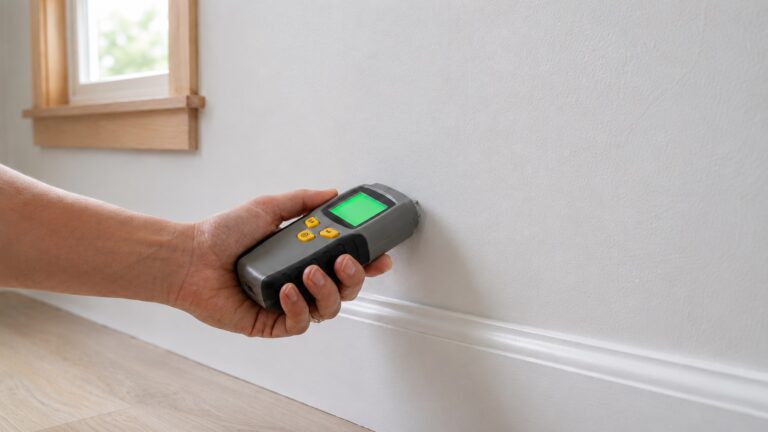
A hygrometer cannot prove there is mold behind a wall, a leak under flooring, or hidden moisture inside framing. It can show that a room is damp enough to deserve more attention. If humidity remains high or one area behaves differently from the rest of the home, use the readings as a reason to inspect more carefully.
Common Mistakes to Avoid
Using Only One Sensor for the Whole House
One sensor can miss room-specific moisture problems. A dry living room does not mean a basement, bathroom, closet, or laundry room is also dry. Multi-room systems are useful because humidity can vary dramatically across a home.
Putting Sensors Too Close to Problem Sources
A sensor placed next to a shower, dehumidifier, window, or supply vent may give distorted readings. Place sensors where they represent the room, not the most extreme spot in the room.
Ignoring Repeated Humidity Spikes
A short spike after a shower may be normal if the room dries quickly. Repeated spikes that last for hours are more concerning. Long recovery times can point to poor ventilation, damp materials, or inadequate moisture control.
Confusing Humidity Monitoring With Leak Detection
A hygrometer helps measure air moisture. It does not replace a water leak sensor, moisture meter, or visual inspection. If you are concerned about actual leaks, use humidity readings as one part of a broader inspection process. For full-home prevention strategy, see how to find, fix, and prevent moisture problems in homes.
Not Checking Batteries or Signal Strength
Multi-room systems depend on working sensors. If a sensor drops offline, loses battery power, or sits too far from the display or gateway, your readings may become incomplete. Check battery status and signal reliability before relying on the system.
Buying a System Without Enough Sensors
If you already know you need to monitor six areas, buying a two- or three-sensor kit may only delay the real purchase. Choose a system that matches your actual monitoring plan.
FAQ
What is a multi-room hygrometer system?
A multi-room hygrometer system uses multiple humidity sensors to monitor different rooms or areas of a home. Some systems send readings to a central display, while others send data to an app. The goal is to compare humidity patterns across several locations instead of relying on one room reading.
How many hygrometer sensors do I need?
Most homeowners should start with three to four sensors. Good first locations include the basement, bathroom, main bedroom, and any room with musty odors, condensation, or past water damage. Larger homes or homes with several problem areas may benefit from six or more sensors.
Are app-based hygrometers better than display-based systems?
Not always. App-based systems are better for history, alerts, and remote checking. Display-based systems are better for simple daily visibility. Choose the format you are most likely to use consistently.
Can a multi-room hygrometer system prevent mold?
No hygrometer can guarantee mold prevention. However, a good system can help you notice humidity conditions that may support mold growth if moisture is not controlled. It is an early-warning tool, not a complete mold prevention solution.
Where should I place hygrometer sensors?
Place sensors in open air, away from direct water sources, vents, windows, humidifiers, and dehumidifier exhaust. Good locations include basement living areas, bedrooms, bathrooms outside the direct shower zone, laundry rooms, closets, garages, and storage rooms.
What humidity level should I watch for?
Many homeowners use indoor humidity readings to watch for rooms that stay unusually damp or fluctuate heavily. Exact targets can vary by season, climate, and room type, but persistent high readings deserve attention. For broader control steps, read our guide on how to reduce humidity in a house.
Do I need WiFi for multi-room humidity monitoring?
You only need WiFi if you want remote access, cloud-based app features, or broader smart monitoring. Basic multi-room systems can work with a central display or Bluetooth app connection. For vacation homes, crawl spaces, or areas you cannot check often, WiFi or gateway-based monitoring is more useful.
Can I use these systems after a leak repair?
Yes. Multi-room hygrometer systems can help you watch whether a repaired area is returning to normal compared with the rest of the house. They should not replace moisture meters or professional inspection when materials may still be wet, but they are helpful for ongoing observation.
Conclusion
The best multi-room hygrometer system depends on how many rooms you need to monitor and how much detail you want. For most homeowners, the Govee Hygrometer Thermometer 3Pack H5100 is the best overall starting point because it gives you three compact sensors and app-based tracking without becoming overly complicated.
If you do not want an app, the TempPro / ThermoPro TP60-3 is the better choice. If you want a dedicated central station, the AcuRite 01096M is a practical display-based option.
For larger homes or more monitoring points, choose the Ambient Weather WS-10-X4 or the GoveeLife WiFi Hygrometer Thermometer 9 Pack. For premium remote monitoring, the SensorPush HT1 with the SensorPush G1 WiFi Gateway is the strongest upgrade path.
Whichever system you choose, the real value comes from using it consistently. Watch patterns, compare rooms, investigate repeated spikes, and use humidity readings as an early warning sign before moisture problems become harder to fix.